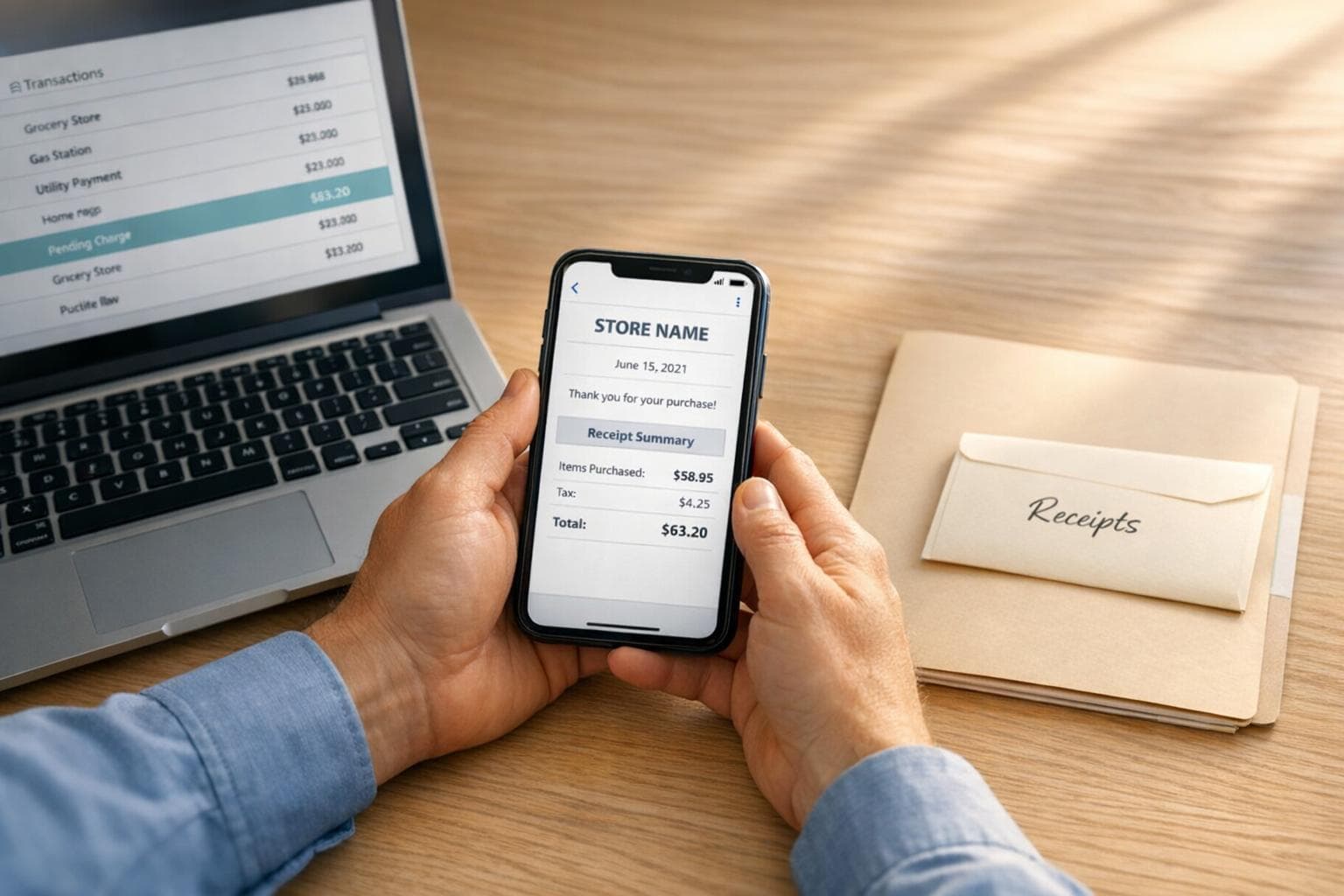
What To Do If A Receipt Is Missing
Losing a receipt can complicate returns, warranties, reimbursements, or tax deductions. But don’t panic - there are ways to recover or replace it. Here’s what you need to know:
- Step 1: Identify the type of receipt - Online purchases are easier to track via email or account history, while in-store receipts often require payment details like a card number. Cash transactions are the hardest to recover.
- Step 2: Contact the merchant - Most stores can reprint receipts if you provide transaction details (date, amount, card used). Larger retailers often retain records for 30-90 days.
- Step 3: Use alternative documents - Bank statements, email confirmations, or loyalty program histories can often serve as proof of purchase.
- Step 4: Recreate the receipt - If all else fails, tools like Receipt Generator can help you create a replacement for record-keeping, but only for legitimate transactions.
- Step 5: Prevent future issues - Take photos of receipts immediately, store them digitally, and organize them regularly.
Losing a receipt doesn’t have to mean losing your options. Follow these steps to recover or replace it and stay prepared for the future.
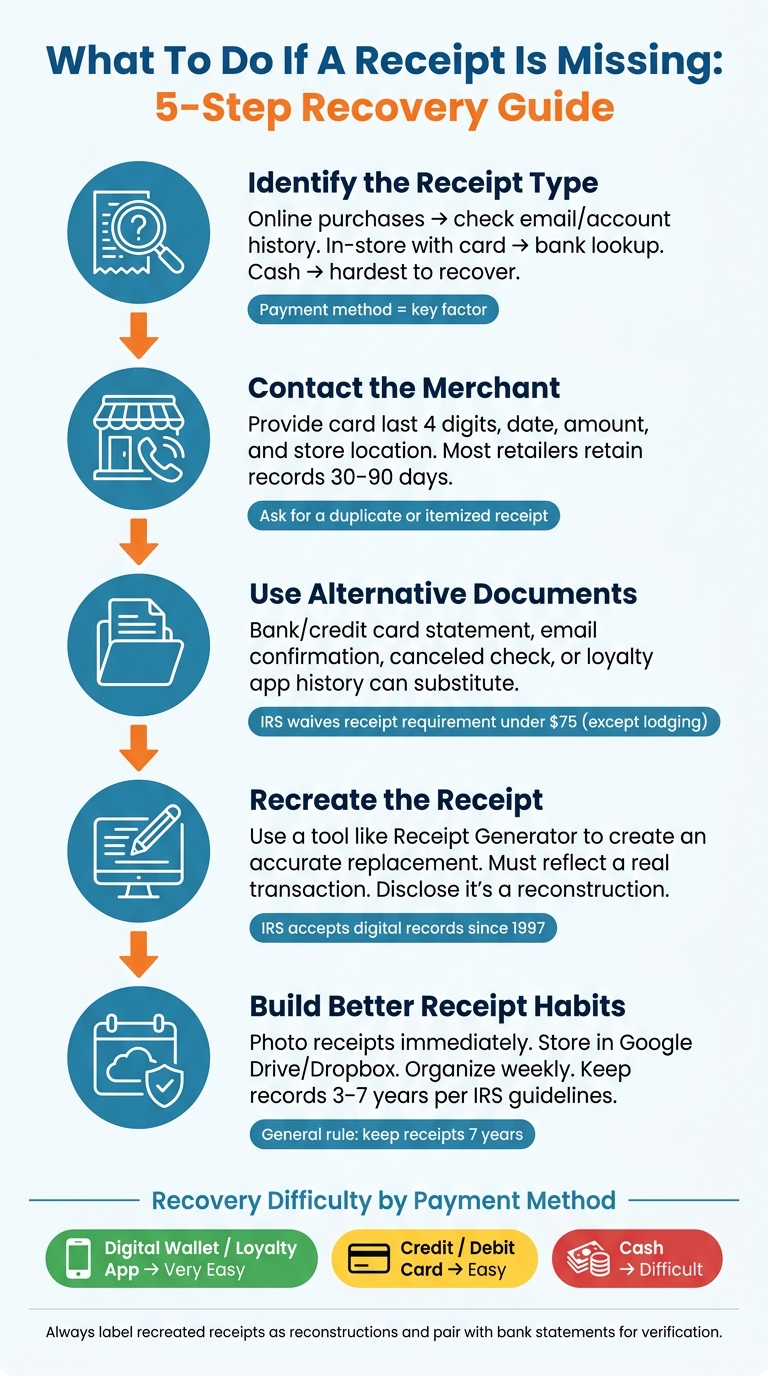
How to Recover a Missing Receipt: 5-Step Guide
Step 1: Figure Out What Type of Receipt You're Missing
Start by identifying the type of receipt you're looking for. The kind of purchase - and the reason you need the receipt - will shape your recovery process. For example, retrieving a receipt for a personal return at Target will differ from recovering one for a tax deduction or an employer reimbursement.
Think about three key questions: Where was the purchase made? How did you pay for it? Why do you need the receipt? Your answers will guide you to the fastest and most effective recovery method.
In-Store vs. Online Purchases and How Payment Method Affects Recovery
Online purchases are usually easier to track because they leave a digital footprint. Retailers send email confirmations and often store your order history in your account. Start by searching your email inbox for terms like "receipt", "order confirmation", or the retailer's name. Don’t forget to check your Spam or Promotions folders, as automated emails often land there.
In contrast, in-store purchases can be trickier, and your payment method plays a big role in how easy it is to recover the receipt. If you paid with a credit or debit card, you’re in luck - many retailers can look up transactions using your card details, often within a 30- to 90-day window. If you used a loyalty app or rewards account (like Target Circle or Home Depot’s rewards program), your purchase history might be saved there for up to 24 months. Cash purchases, however, are the most difficult to recover since they leave no digital trail - no bank statements, no app history, nothing.
| Payment Method | Recovery Ease | Best Starting Point |
|---|---|---|
| Credit / Debit Card | High | Bank statement or in-store lookup |
| Digital Wallet / Loyalty App | Very High | In-app purchase history |
| Cash | Low | Manager discretion or product packaging |
Understanding these differences will help you focus your recovery efforts on the most likely sources.
A Simple Decision Path for Recovering a Missing Receipt
Once you know the type of receipt you’re after, here’s how to proceed: For online purchases, start with your email and account order history - this solves most cases in just a few minutes. For in-store purchases made with a card, visit the store’s customer service desk with the card you used. Many major retailers, like Home Depot (up to 30 days for standard cards), Target, and Walmart, offer card-based transaction lookups.
For business expenses under $75, there’s some flexibility. The IRS generally doesn’t require receipts for expenses below that amount - except for lodging, which always needs documentation regardless of the cost. In these cases, a bank statement paired with a brief written note explaining the business purpose is often sufficient. For expenses over $75, or for tax-sensitive categories like meals and travel, you’ll need more detailed documentation. The next steps will guide you through those scenarios.
sbb-itb-2232899
Step 2: Contact the Merchant to Get a Copy of Your Receipt
After identifying the transaction details in Step 1, the next move is to reach out to the merchant directly. Many stores can retrieve a past transaction if you provide the right information, but success often depends on your payment method, purchase date, and the store's policies.
How Merchants Keep Transaction Records
Most retailers use digital POS (point-of-sale) systems to log transactions. Big chains like Best Buy, Costco, and Home Depot can often reprint a receipt instantly at their customer service desks. On the other hand, smaller businesses - like local restaurants or independent shops - may need more time, sometimes 24–48 hours, to locate your transaction in their accounting records.
Timing is critical. Large retailers usually keep digital transaction records for 30 to 90 days, though some extend this period for high-value purchases.
How to Request a Duplicate Receipt
Before contacting the merchant, check your bank or credit card statement so you have the exact transaction date and amount ready. This information helps the store locate your purchase faster. When you reach out, be specific and ask for a "duplicate receipt" or an "itemized receipt" - this ensures the document meets IRS or reimbursement standards.
Here’s what you’ll need to provide:
- The payment card used (or its last four digits)
- The approximate date and time of the transaction
- The store location
- The total amount spent
- Any loyalty account information, such as a phone number or member ID
If the store associate can’t locate your transaction, ask to speak with a manager. Managers usually have greater access to historical POS data and can authorize exceptions that regular staff may not be able to handle.
Below is a quick reference for how some major retailers handle receipt recovery and their typical retention periods:
| Retailer | Lookup Method | Typical Retention Window |
|---|---|---|
| Target | Card lookup or Target Circle account | Up to 90 days |
| Home Depot | Credit/debit card lookup | 30 days (365 days for Pro accounts) |
| Costco | Membership ID lookup | Nearly unlimited |
| Best Buy | Card number or phone number | 90+ days |
| Walmart | Card lookup or account history | Varies; $50/year limit for no-receipt returns |
If your receipt still can’t be located, you may need to try alternative documentation methods.
When Receipt Recovery Isn’t Possible
Sometimes, even with the merchant’s help, you might not be able to retrieve a receipt. Cash transactions are particularly challenging since they don’t leave a digital trail. Similarly, if the store recently upgraded its POS system, older records might not have been transferred. And if your purchase falls outside the store’s retention window, the data could already be erased.
In such cases, some merchants might offer a "statement of purchase" instead. While this document shows the total amount and date, it lacks the detailed breakdown needed for warranty claims or tax audits. If a duplicate receipt remains unavailable, you’ll need to move on to Step 3 to explore other documentation options.
Step 3: Use Alternative Documents When the Receipt Can't Be Recovered
If you can’t retrieve a transaction receipt from the merchant, don’t worry - you’ve still got options. Several other documents can confirm that a purchase took place. Knowing which ones to use can make all the difference, whether you’re handling a reimbursement request or preparing for a tax audit. Here’s a breakdown of alternatives that work when the original receipt is unavailable.
One of the most reliable options is your bank or credit card statement. These statements provide the date, vendor name, and exact amount charged. Since they’re issued by a third party, they’re often viewed as credible proof by auditors. Including a short note explaining the expense’s purpose can strengthen your case.
For online orders, digital confirmations stored in retailer accounts are another good option. Many retailers keep a purchase history accessible through your account dashboard. If you paid by check, a canceled check can confirm the transaction. Even a photo of the original receipt - if you snapped one before it was lost - can work, as long as it’s clear and legible.
Here’s a quick reference table for alternative documentation:
| Evidence Type | Verifies Amount | Verifies Date | Verifies Vendor | Business Purpose |
|---|---|---|---|---|
| Bank/Credit Card Statement | Yes | Yes | Usually | No |
| Email Confirmation | Sometimes | Yes | Yes | Sometimes |
| Calendar Entry | No | Yes | Sometimes | Yes |
| Written Log/Notes | If noted | If noted | If noted | Yes |
| Canceled Check | Yes | Yes | Yes | No |
What the IRS Expects When Receipts Are Missing
According to IRS guidelines, receipts aren’t required for business expenses under $75, with one key exception: lodging always requires a receipt, regardless of the amount. For smaller expenses, pairing a bank statement with a brief note outlining the business purpose is usually enough.
For larger or more complex expenses, you’ll need to document four key details: the amount, the date, the vendor, and the business purpose. Missing even one of these can weaken your claim.
Certain expenses, like travel, meals, business gifts, and vehicle costs, face stricter requirements under IRC §274(d). In these cases, a bank statement alone won’t cut it. You’ll need additional proof to show the business connection and purpose of the expense.
For general operating costs - think office supplies or software subscriptions - the Cohan Rule may offer some leeway. This legal precedent allows you to claim a reasonable estimate if you can prove the expense occurred but don’t have the exact receipt. However, keep in mind that poor documentation can lead to a 20% accuracy-related penalty for underpayment. Gathering as much evidence as possible is always a smart move.
Step 4: Recreate a Receipt for Personal or Business Records
If you've exhausted all options - like merchant records or alternative documentation - and still can't find the original receipt, recreating one can help you maintain accurate records. This approach is particularly useful for documenting a legitimate transaction when the original receipt is unavailable.
What to Include in a Recreated Receipt
For a recreated receipt to serve its purpose, it needs to include all the essential details. Make sure to add:
- Merchant's name and address
- Exact transaction date
- Itemized list of purchases
- Subtotal
- Sales tax as a separate line item
- Total amount paid
- Payment method
- Last four digits of the card used
Including the last four digits of your card ties the recreated receipt to your bank or credit card statement, making verification much easier. For certain expenses, like dining or hotel stays, you may need to provide additional details - such as the server's name or check-in/check-out dates - since these are often required by auditors or reimbursement teams.
How Receipt Generator Can Help Replace a Lost Receipt
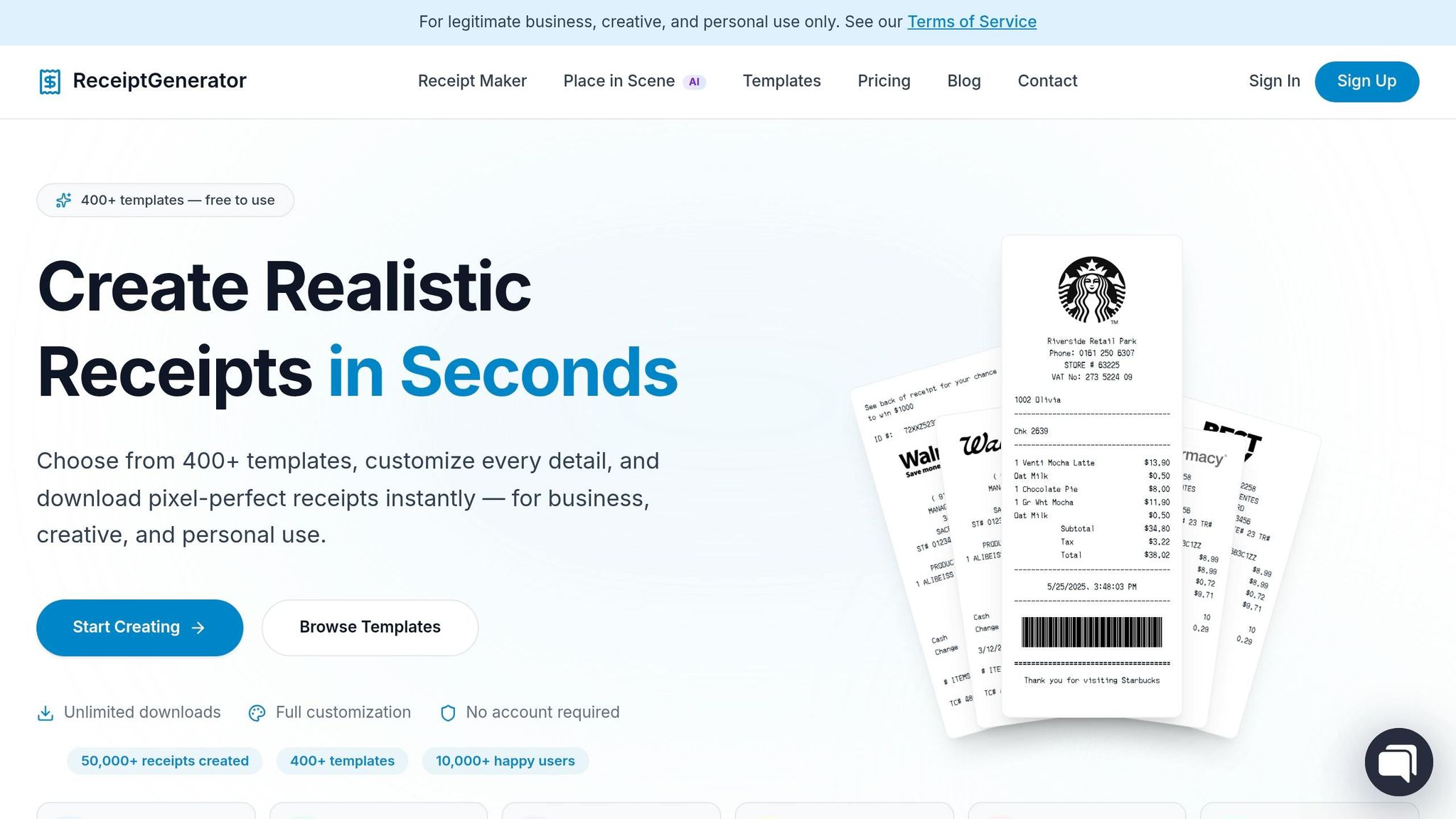
Receipt Generator is a free tool designed to simplify the process of recreating receipts. It offers 400+ customizable templates for popular U.S. retailers and restaurants, such as Walmart, Starbucks, Target, Best Buy, and McDonald's. You can modify every field - store name, address, itemized purchases, prices, tax rates, and payment method - to match the actual transaction.
The tool uses realistic layouts, so the recreated receipt closely resembles one generated by a point-of-sale system rather than a typed document. After editing, you can export the receipt as a high-resolution PNG, ideal for digital storage or email submissions. Since 1997, the IRS has accepted digital records as long as they are legible and include all required transaction details.
Once your receipt is recreated, double-check its accuracy to ensure it meets the standards for personal or business recordkeeping.
Using Recreated Receipts Responsibly
Accuracy and transparency are critical when using recreated receipts. They are valid only when they reflect a real and verifiable transaction. If you're submitting one for reimbursement or to your employer, always disclose that it's a reconstruction and provide supporting documentation, like a card statement, to verify the transaction.
"The key word is disclosure. You're not deceiving anyone. You're saying: 'I lost the original; here's a reconstruction matching the verified card charge; please process my reimbursement.'" - Ashir Ali, Founder, Receipt Maker
Attempting to use recreated receipts to claim expenses that never occurred is fraudulent and carries serious consequences. In the U.S., submitting fake receipts for tax purposes can lead to up to 5 years in federal prison and fines of up to $250,000. Always treat recreated receipts as a last resort for documenting real purchases - not as a way to fabricate transactions.
Step 5: Build Better Receipt Habits to Avoid Future Problems
Avoid the headache of missing receipts by adopting a few straightforward habits.
Smart Ways to Store Receipts
Start by capturing receipts immediately after making a purchase. Thermal receipts tend to fade over time, so snapping a quick photo ensures you have a lasting digital record.
Once you’ve captured the receipt, store it in a cloud service like Google Drive or Dropbox. Use a consistent naming system and organize files into subfolders by year and category - for example, "2026 > Business Meals" or "2026 > Office Supplies." Dedicate just 10 minutes each week to review and file your receipts while the details are still fresh in your mind.
These small steps can ensure you’re always prepared for tax season or any record-keeping requirements.
How Long to Keep Receipts for U.S. Tax Purposes
The IRS has different guidelines for how long you need to retain records, depending on the situation. A general rule is to keep receipts for at least seven years. Here’s a quick breakdown of common scenarios:
| Situation | Recommended Retention Period |
|---|---|
| Standard tax return | 3 years from the filing date |
| Employment tax records | 4 years after the tax is due or paid |
| Income underreporting by 25%+ | 6 years |
| Worthless securities or bad debt claims | 7 years |
| Property or asset records | Until 3 years after disposal |
| Fraudulent return or failure to file | Indefinitely |
While the IRS doesn’t require receipts for business travel expenses under $75, lodging always needs an itemized receipt. Even for smaller purchases, jotting down the date, amount, and purpose can be incredibly helpful.
"The IRS doesn't penalize excessive organization - they penalize absent documentation." - SparkReceipt
Keeping these timelines in mind can help you stay on top of your receipt management.
How Receipt Generator Helps with Long-Term Record-Keeping
To complement your receipt habits, Receipt Generator simplifies the process of maintaining digital records. For cash transactions like parking fees or purchases from small vendors, Receipt Generator allows you to create a standardized digital record while the details are still fresh. The receipts it generates are high-resolution PNGs with a professional layout, making them easy to incorporate into your existing digital filing system.
Since the IRS has recognized digital records as equivalent to paper originals since 1997, having an organized archive of scanned or generated receipts ensures you’re well-prepared if your records are ever reviewed. A little effort now can save you a lot of hassle later.
Conclusion: What To Do When a Receipt Goes Missing
Misplacing a receipt doesn’t have to ruin your plans for a return, reimbursement, or tax deduction. The solution lies in a straightforward approach: figure out the type of receipt you’ve lost, then explore your recovery options step-by-step. Start by checking merchant records, move on to alternative documentation, and, if needed, create a replacement receipt responsibly.
Luckily, there are plenty of tools and resources to help. Bank statements, email confirmations, loyalty program histories, and platforms like Receipt Generator can often bridge the gap.
If you need to recreate a receipt, make sure to label it as a reconstruction and back it up with evidence like a bank statement or a calendar entry. This approach is commonly accepted in professional bookkeeping.
Finally, adopt habits that make losing receipts a rare occurrence. Snap a photo of receipts as soon as you get them, organize them weekly, and retain records for the IRS-recommended period. A little consistency now can save you a lot of trouble later.
"The single best habit you can build is scanning or photographing receipts the moment you get them." - SparkReceipt
FAQs
How can I find a receipt for a cash purchase?
Locating a receipt for a cash purchase can be tricky since there’s no digital trail to fall back on. The best approach is to head to the store’s customer service desk with as much information as possible. Details like the purchase date, approximate time, store location, and a list of the items you bought can help them track down the transaction in their system. If they’re unable to retrieve the original receipt, you can turn to tools like Receipt Generator to create a professional replica for your records or documentation needs.
Will a bank or credit card statement work instead of a receipt?
Statements can confirm the transaction date, merchant name, and amount, but they don't provide itemized details. While they might work for expenses under $75 or basic record-keeping, they usually can't replace an itemized receipt. To improve your documentation, consider pairing the statement with additional proof such as email confirmations, calendar entries, or a note outlining the business purpose of the expense.
Can I use Receipt Generator for a lost receipt without getting in trouble?
If you've lost a receipt, you can use a Receipt Generator to recreate it, as long as it reflects a real transaction. This approach is often necessary for tasks like taxes, bookkeeping, or expense reporting. It's important to ensure the recreated receipt matches your records accurately. To maintain transparency, let your employer or administrator know it's a reconstruction. Whenever possible, back it up with supporting documents like a bank or credit card statement.