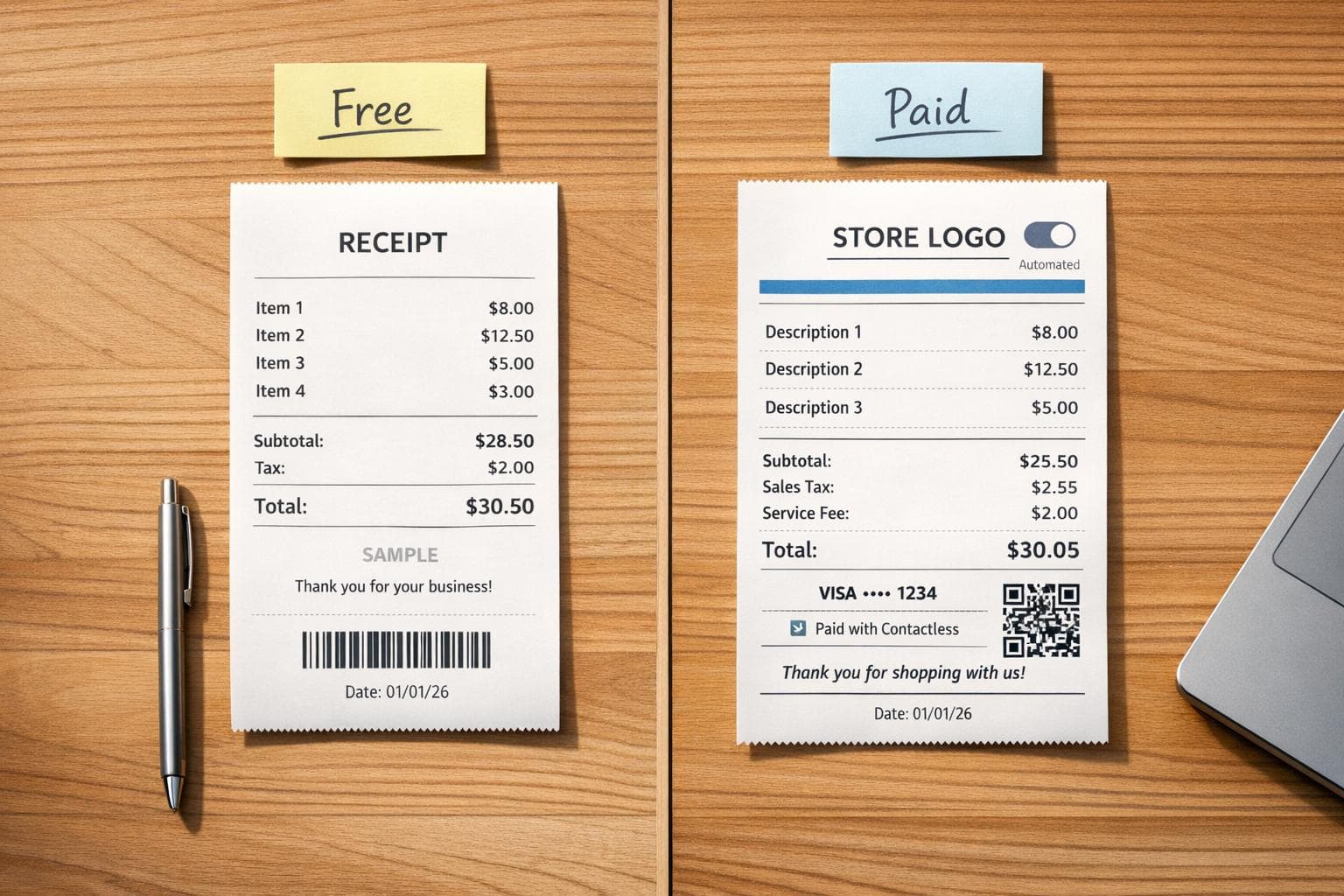
Best Receipt Maker Tools in 2026: Free vs Paid Compared
Receipts are a must for businesses and freelancers, but finding the right tool depends on your needs. Free tools work well for light use (1–50 receipts monthly), while paid options are better for high-volume users or those who want features like automation and custom branding. Here's a quick breakdown:
- Free Tools: Simple, browser-based, and watermark-laden. Ideal for occasional use but lack advanced features.
- Paid Tools: Offer branding, automation, and integration with accounting software. Perfect for businesses managing many transactions.
Key Takeaways:
- Free tools like SimpleReceiptMaker are great for basic needs but may include watermarks.
- Paid tools like Zoho Invoice and ReceiptsAI provide automation, cloud storage, and professional designs starting at $8–$29/month.
- Features to consider: customization, automation, integrations, and export formats.
Quick Comparison:
| Tool | Best For | Free/Paid Features | Pricing (Monthly) |
|---|---|---|---|
| Receipt Generator | Freelancers (low use) | 190+ templates, watermark removal with Pro | Free/$9.99 |
| Wave | Small businesses | Free invoicing, paid receipt scanning | Free/$8–$19 |
| Zoho Expense | Growing businesses | Multilingual OCR, tax-compliance tools | Free/$8–$190 |
| Invoice2Go | High-volume users | Mobile-first, customer database | $5.99–$39.99 |
Choose based on your volume, budget, and need for automation or branding.
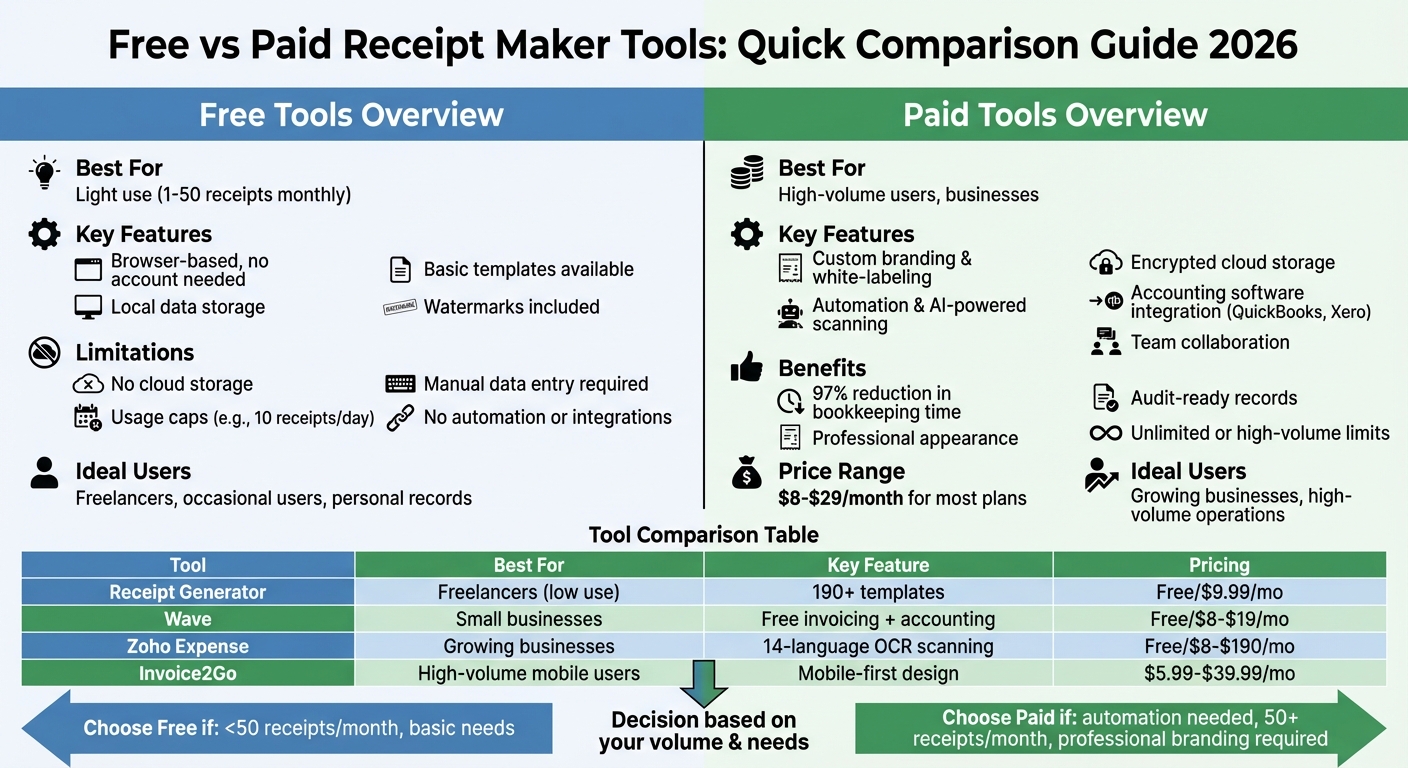
Free vs Paid Receipt Maker Tools Comparison 2026
Free vs Paid Receipt Maker Tools: What's the Difference
The main differences between free and paid receipt makers come down to data storage, automation, and professional appearance. Free tools like SimpleReceiptMaker and BankGPT allow you to create receipts without signing up, storing data locally and clearing it after download. These are ideal for occasional use, such as replacing a lost receipt for personal records. On the other hand, paid platforms like ReceiptsAI and Zoho Invoice require an account, offering encrypted cloud storage for secure, audit-ready records.
Another key distinction is in watermarking and branding. Free tools often add their logo or a "Created by…" watermark to receipts, which can compromise your professional image. As CleverInvo points out:
Some generators place their logo on your PDF. This makes your business look like it cannot afford proper tools.
Paid tools eliminate these watermarks and often include white-labeling options, so your receipts display only your business name and logo. For example, Canva Pro (around $15/month) goes a step further by offering Brand Kits that let you save your custom fonts, hex colors, and logos for a polished, consistent look.
Automation and integrations provide another layer of distinction. Free tools typically require manual data entry for every receipt, which can be time-consuming for higher volumes. Paid platforms, however, integrate with accounting software like QuickBooks or Xero and services like Zapier, syncing transactions automatically. Users of Receipt AI have reported reducing bookkeeping time by 97% compared to manual entry.
Usage limits also separate free and paid options. Free tools often come with restrictions - CraftMyPDF caps users at 10 receipts per day, and Invoice Fly withholds advanced tracking features unless you subscribe. In contrast, paid plans unlock higher limits, enable team collaboration, and offer advanced design features like thermal-print textures and barcode generation. For instance, Zoho Invoice starts at about $11/month for comprehensive accounting features, while ReceiptsAI offers plans ranging from $12/month for 100 pages to $29/month for 500 pages.
Ultimately, your decision depends on your needs. If you only need 1–50 receipts per month, free tools offer simplicity. For higher volumes or professional-grade features like automation, audit trails, and custom branding, paid platforms are the way to go. As Sarah L., a verified ReceiptsAI user, puts it:
The accuracy of the AI is incredible. It catches details I would have missed manually entering receipts.
sbb-itb-2232899
1. Receipt Generator
Receipt Generator uses AI to transform simple text descriptions into professional receipts. For instance, typing "coffee shop receipt for two lattes" will instantly produce a fully formatted receipt, complete with itemized totals.
Features and Customization
This tool stands out for its user-friendly interface and extensive customization options. With over 190 receipt templates inspired by well-known stores and restaurants, you can easily find a design that matches your business, whether it’s a café, retail shop, or another type of establishment. Each template includes fonts like OCR-A, Epson, and Merchant Copy, giving your receipts the authentic look of standard thermal prints.
You can personalize further by uploading your company logo, tweaking color schemes, and adding extras like barcodes, QR codes, digital signatures, or custom return policies. The drag-and-drop editor makes it simple to organize headers, itemized lists, and payment details. Plus, automated calculations for taxes, discounts, tips, and subtotals reduce the chance of errors.
Lisa Martinez from Martinez Design Studio shared her experience:
The branding customization options are fantastic. My receipts look just as professional as my design work.
These features are paired with flexible pricing to suit various needs.
Pricing and Plans
The free version provides access to 190+ professional templates but includes a watermark. Upgrading removes the watermark and adds options like saving designs and creating custom templates. The Pro plan is available for $9.99 per month or $69.99 annually.
Export Quality and Formats
Receipt Generator exports high-resolution PNG files with sharp details. A standout feature is its AI-powered "Place in Scene" option, which allows you to embed your receipt into realistic settings, such as a wooden desk or a marble countertop. This adds a polished, print-like touch to your visuals.
2. Wave Receipts
Wave takes receipt management to the next level by integrating it seamlessly with accounting tools. This means your receipts automatically sync with bookkeeping, tax preparation, and bank reconciliation. It’s an excellent choice for businesses looking for more than just a basic receipt tracker.
Features and Customization
Wave offers two key functions: creating payment receipts after invoices and scanning receipts with OCR (optical character recognition) to auto-extract expense details. You can personalize receipts by adding your logo, tweaking brand colors, and including footers, notes, or terms using a simple drag-and-drop editor. The platform also takes care of sequential numbering, itemized breakdowns, and automatically calculates taxes and discounts.
Photographer Tatiyanna Williams-B shared her experience with Wave:
"Wave streamlines business transactions. The receipts feature lets me scan receipts in-app, auto-populates the details, and syncs transactions instantly to my desktop."
The mobile app makes it easy to capture physical receipts on the go, while digital receipts can be forwarded to a designated Wave email for automatic storage.
Pricing and Plans
Wave's core features, like unlimited invoicing and receipt management, are free. For $8/month (or $72 annually), the Receipts plan offers unlimited scanning and OCR capabilities. The Pro plan, priced at $19/month (or $190 annually), adds features like bank transaction categorization, late payment reminders, and invoice attachments. For online payments, Wave charges a 1% fee for bank transactions (minimum $1) and varying fees for credit card payments.
Integration Capabilities
Wave goes beyond receipt creation by offering built-in bank connections for automated reconciliation and financial reporting. All receipts - whether scanned or generated - are securely stored in the cloud and accessible across mobile and desktop devices. With 256-bit SSL encryption and PCI-DSS Level 1 certification, Wave prioritizes data security.
Export Quality and Formats
Wave provides flexible export options for handling documents. Receipts can be exported as polished PDF files directly from the web or mobile app. You can share them via email with personalized messages or save them to cloud storage. While bulk exporting isn’t directly supported, Wave Connect allows you to export data to Google Sheets. For uploads, supported formats include JPG, GIF, PNG, and PDF, ensuring compatibility with various file types.
3. Zoho Expense
Zoho Expense offers a standout feature: multilingual receipt scanning. It can process receipts in 14 languages, including French, German, Chinese, and Spanish. This makes it a great fit for businesses with international operations or employees frequently traveling abroad. The platform automatically extracts data from receipts and creates expense records, cutting down on tedious manual entry. Additionally, Zoho Expense provides flexible receipt capture methods and a range of customization options.
Features and Customization
You can capture receipts in multiple ways - take a photo, forward them via email, upload in bulk, or connect through cloud services like Google Drive, Dropbox, OneDrive, or Evernote. Janani, Director of Finance at Exotel, shared her thoughts on the tool:
The mobile version is intuitive - snap a photo, select the expense category, and submit.
Admins can customize expense forms by adding required fields for employees and setting up expense rules with daily, monthly, or yearly limits. The platform also includes advanced tracking tools, such as GPS-based mileage tracking, automated per diem calculations, and petty cash management. Zoho Expense is available in 8 region-specific editions, each tailored to local tax laws, including versions for the US, UK, India, Canada, Australia, UAE, and Saudi Arabia.
Pricing and Plans
Zoho Expense offers a 14-day free trial, allowing users to explore its automation features. For those with basic needs, Zoho provides a completely free Receipt Generator tool and access to Zoho Invoice software, which includes expense tracking. Interestingly, Zoho made Zoho Invoice free after 13 years as a paid service to support small businesses. The platform boasts a 4.8/5 customer satisfaction rating and is trusted by well-known brands like Puma, Tata Play Fiber, and Razorpay. This combination of features and affordability makes Zoho Expense a strong choice for businesses weighing costs and functionality.
Integration Capabilities
Zoho Expense integrates effortlessly with the larger Zoho Ecosystem, enabling smooth data sharing across finance and operations apps. It can handle billable expenses like fuel costs or raw materials and convert them into invoices automatically. Brittany Cisneros, AVP Finance at Impact Floors of Texas LP, highlighted:
Zoho Expense has the capability to export their information in far more detailed fashions than other desktop and mobile applications including AMEX and Citi.
The platform syncs data in real-time across iOS, Android, and desktop devices, with all information securely stored in the cloud. These integration features make it easy to export and share expense data without hassle.
Export Quality and Formats
Users can export receipts in various formats, including PDF, audit reports, and CSV/XLS files, with ERP sync support. The system keeps digital records with audit trails, helping to catch fraudulent activity and duplicate entries - essential for staying prepared during tax season. Documents can be shared via email, WhatsApp, iMessage, or downloaded for offline use.
4. Invoice2Go
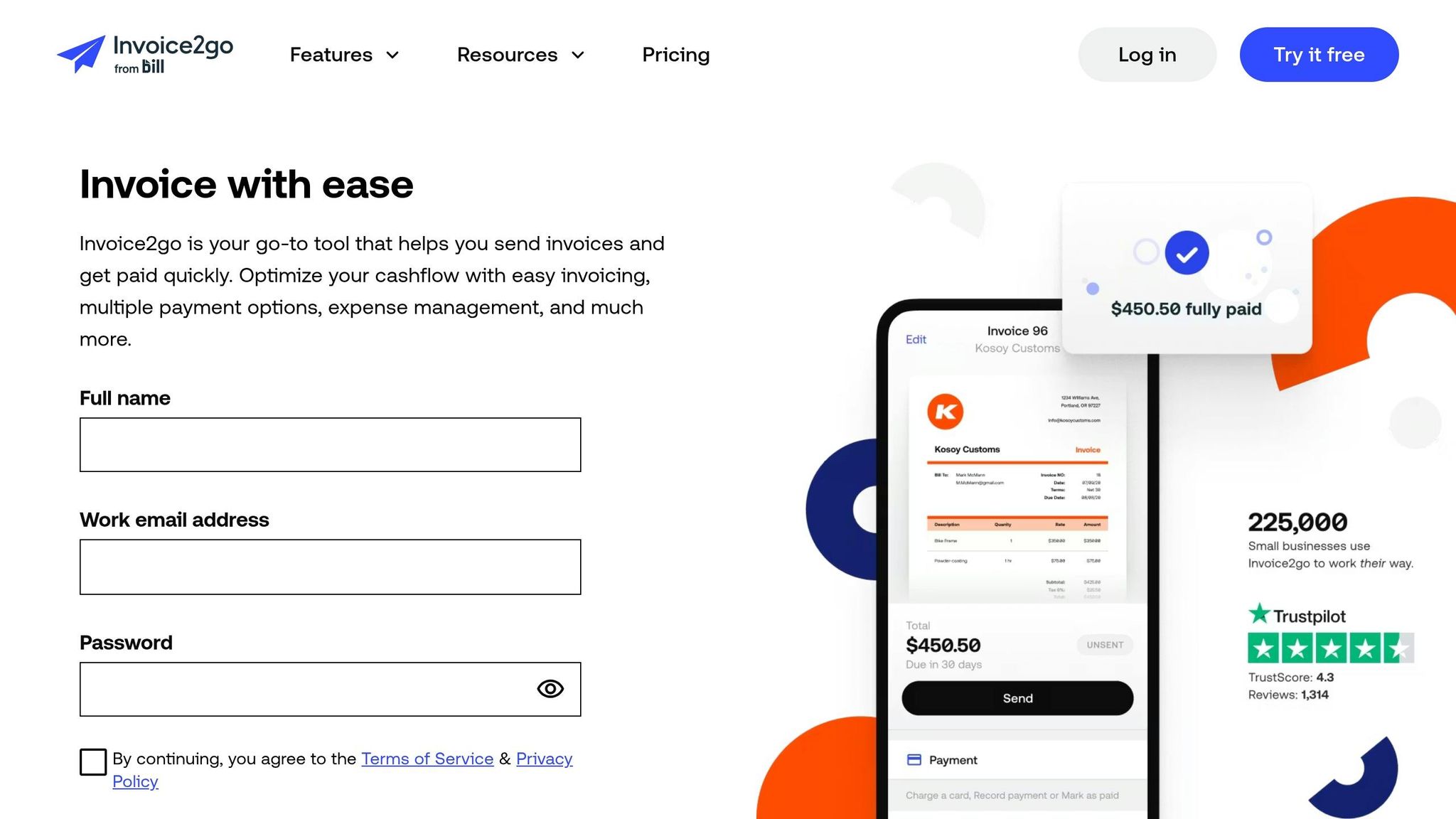
Invoice2Go is designed with mobility in mind, making it an excellent choice for field professionals and contractors who need to create branded receipts while on the move. With a user base of around 225,000 small businesses worldwide and handling $24 billion in payments annually, it’s clear that Invoice2Go meets the needs of busy professionals who require quick and efficient solutions. Its focus on speed and simplicity is evident, allowing users to send branded invoices and receipts in under two minutes directly from their phones. This commitment to ease-of-use has earned it a 4.8/5 rating on the Apple App Store.
Features and Customization
Invoice2Go offers eight customizable templates, allowing users to personalize invoices with logos, color schemes, accreditation badges, banners, and watermarks. A standout feature is Smart Expense Tracking, which lets you snap photos of receipts, categorize them, and attach them to specific projects or invoices. This feature has been a game-changer for small business owners like Christina Waters of Christy's Bakery, who shared:
"Invoice2go's simplicity helped me avoid losing money by staying organized".
Another handy tool is the Projects feature, which consolidates all related invoices, estimates, expenses, photos, and notes into one place. This makes it easier to manage and track everything tied to a specific job, especially for professionals juggling multiple tasks.
Pricing and Plans
Invoice2Go doesn’t offer a free tier but provides a 30-day free trial for new users. Its pricing plans are tiered based on usage and features:
- Starter Plan: $5.99/month (or $79.99/year), includes 30 invoices annually, with a 3.5% card processing fee.
- Professional Plan: $9.99/month (or $119.99/year), allows 100 invoices annually, integrates with QuickBooks and Xero, and offers a reduced 3.0% processing fee.
- Premium Plan: $39.99/month (or $449.99/year), includes unlimited invoices, a lower 2.9% processing fee, dedicated phone support, and recurring invoicing.
While the Starter Plan is affordable, its 30-invoice cap may feel limiting for businesses that handle frequent billing, making the higher-tier plans more appealing for those with greater invoicing needs.
Integration Capabilities
Invoice2Go integrates with major accounting platforms like QuickBooks, Xero, FreshBooks, and MYOB. It also works with Zapier, enabling connections to hundreds of other business apps. This flexibility ensures compatibility with diverse workflows. The platform syncs across iOS, Android, and desktop devices, though some users have noted occasional syncing issues between mobile and web versions. However, its reporting features are relatively basic, lacking the depth needed for detailed profitability analysis.
Export Quality and Formats
Invoices and reports are exported as professional PDFs that can be shared via email, SMS, or messaging apps. Even if your subscription expires, you can still export audit-ready PDFs with tax calculations and itemized details, though editing functionality will no longer be available.
5. Custom Receipt Maker (CRM)
In 2026, CRM tools have become a go-to choice for freelancers and small retailers who want a straightforward way to create receipts without diving into complex accounting software. These tools focus on custom branding and streamlined receipt creation, often with non-subscription pricing models.
Features and Customization
CRM platforms shine when it comes to personalization. Users can tweak receipts with unique patterns, colors, fonts, and logos in formats like PNG, JPG, and SVG. They also include features like automated receipt numbering (which can be manually adjusted), currency selection based on location, and fields for adding taxes, discounts, and itemized charges.
Pricing and Plans
One of the best aspects of these tools is their flexible pricing. Many CRM solutions offer pay-per-use or freemium plans, making them perfect for those who only need receipts occasionally. This flexibility eliminates the need for long-term subscriptions while still providing a professional output.
Export Quality and Formats
CRM tools support instant downloads in high-quality formats like PDF, JPG, and PNG. Some advanced versions even allow editable DOCX exports. These high-resolution outputs are ideal for both digital and printed receipts. Additionally, CRM platforms accommodate various paper sizes, from standard A4 to thermal receipt formats, making them compatible with different printing setups.
Pros and Cons of Each Tool
Every tool comes with its own set of strengths and limitations, making them more suitable for specific use cases. Here's a breakdown of what each tool brings to the table:
Receipt Generator is perfect for freelancers handling between 1 and 50 receipts per month. It’s fast, simple, and offers free access to over 190 templates. However, it lacks cloud storage and a customer database, which might limit its utility for more complex needs.
Wave combines free invoicing with accounting features, making it a good fit for very small businesses. That said, its receipt scanning feature comes at an additional cost - around $8 per month - and its interface might feel overly complex for users who need straightforward receipt creation.
Zoho Expense integrates seamlessly with other business tools, offering features like time tracking and client portals. However, its free tier supports only up to five clients, and new users may find the platform challenging to navigate due to its complexity.
Invoice2Go is designed for professionals who issue over 30 receipts per month, particularly those who prioritize mobile access. It includes automation features and a connected customer database, but unlocking its full capabilities requires a subscription.
The table below summarizes the main advantages and drawbacks of each tool:
| Tool | Best For | Strengths | Limitations |
|---|---|---|---|
| Receipt Generator | Freelancers (1–50 receipts/mo) | Free; no account needed; 190+ templates | No cloud storage or customer database |
| Wave | Very small businesses | Free accounting and invoicing features | Paid add-on required for receipt scanning |
| Zoho Expense | Complex business operations | Integrates with business tools; time tracking | Free tier supports only 5 clients; steep learning curve |
| Invoice2Go | High-volume mobile users | Mobile-first; automation; customer database | Subscription required for full features |
Conclusion
Receipt makers should match your business's volume and branding needs. For freelancers or solopreneurs managing fewer than 50 receipts monthly, free tools can often handle the job without requiring subscriptions or complex setups. For example, Receipt Generator offers over 190 customizable templates with realistic thermal textures, making it easy to create professional receipts in no time. Its 4.8/5.0 rating from more than 3,000 reviews highlights its dependability and ease of use. This makes it a solid option for those who value speed and simplicity.
When selecting a tool, consider the scale of your operations and how it fits into your workflow. For businesses that need integrated accounting, Wave combines free invoicing with bookkeeping tools, though receipt scanning comes with an $8 monthly fee. On the other hand, if you're working within a larger system, Zoho Expense offers excellent integration capabilities. However, its free tier is limited to five clients, which may require an upgrade as your business expands.
Let factors like budget, receipt volume, and workflow efficiency guide your decision. Research shows that using dedicated software can reduce payment delays by up to 52%. Starting with free tools allows you to assess your needs, upgrading only when automation and advanced features justify the expense.
Many freelancers and small businesses end up paying for features they rarely use. If your primary need is creating receipts - without extras like customer databases or cloud storage - basic receipt generators are often the most economical choice.
FAQs
When should I upgrade from a free receipt maker to a paid plan?
When your needs go beyond the basics, consider upgrading to a paid receipt maker plan. This unlocks advanced features like recurring invoices, detailed customization options, and payment processing capabilities. It also removes common restrictions, such as branding or usage limits, that often come with free tools. For businesses handling a high volume of receipts or aiming for a more professional presentation, a paid plan can be a game-changer.
Which features matter most if I need audit-ready receipt records?
To keep your financial data organized and ready for audits, a few essential features can make all the difference. These include:
- Centralized storage: Having all your receipts in one place ensures nothing gets lost and makes retrieval a breeze.
- Cloud access: With cloud-based systems, you can access your records anytime, anywhere, providing flexibility and convenience.
- Detailed transaction logs: These logs give a clear picture of every transaction, offering transparency and traceability.
- Automation: Automating processes reduces human error and ensures compliance with regulations, saving time and effort.
These tools not only simplify record-keeping but also help you stay organized and prepared to meet audit requirements with confidence.
How do I pick the best export format for emailing vs printing receipts?
When it comes to emailing receipts, PDF is the go-to format. It keeps the layout, branding, and details intact, ensuring a polished and professional look on any device. For printing, PDF is equally reliable, offering high-quality, print-ready documents. While some tools allow exports in formats like JPEG or PNG for particular use cases, PDF stands out as the most dependable option for both emailing and printing, thanks to its clarity and broad compatibility.