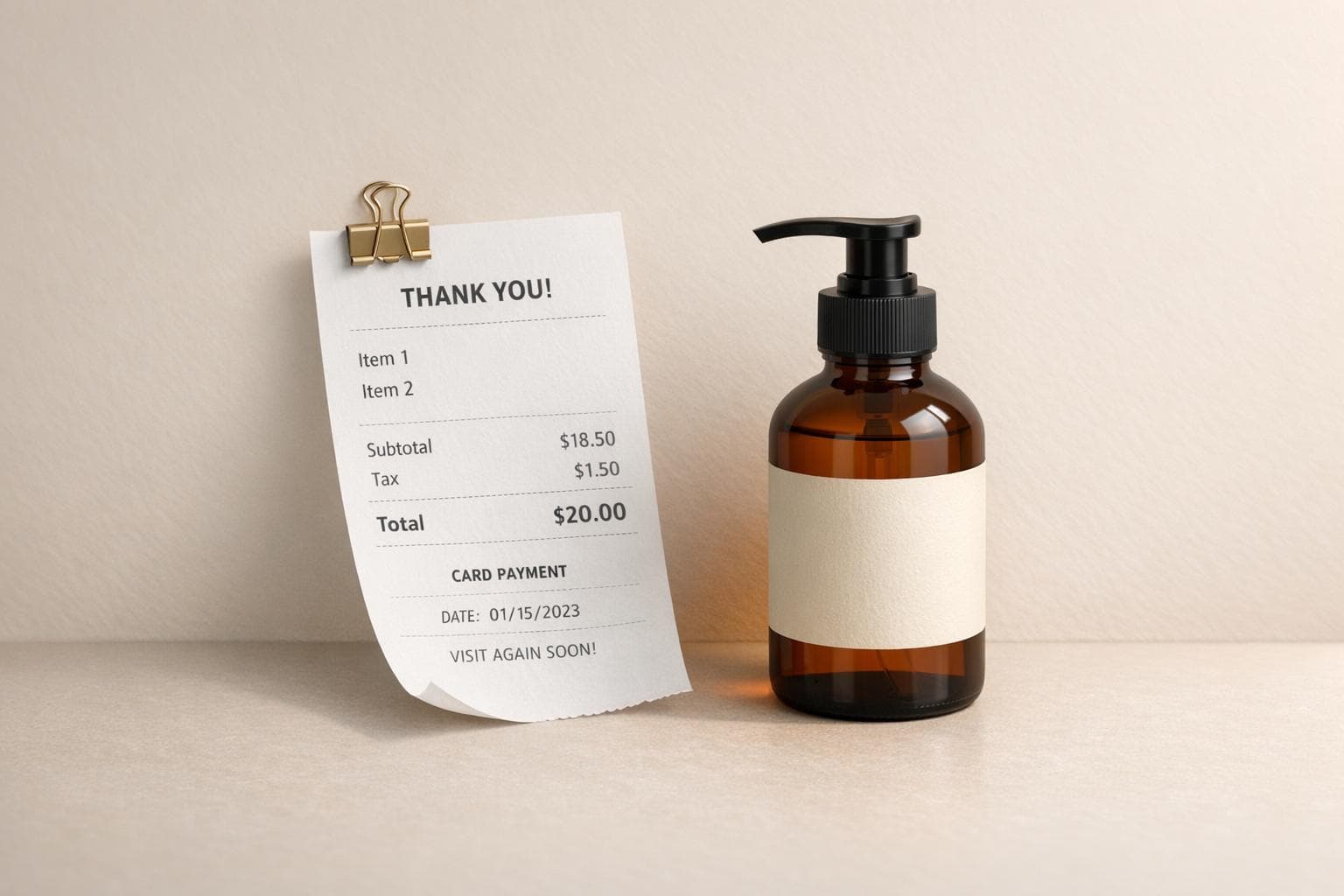
Receipt Mockup Generator: Create Product Photos With Receipts
Receipt mockup generators let you create realistic digital receipts in minutes. These tools are perfect for adding receipts to product photos, making your visuals more professional and trustworthy. Here's how it works:
- Choose a Template: Pick from 190+ customizable templates for retailers, restaurants, and more.
- Customize Details: Add logos, business info, items, prices, and payment methods. The tool handles calculations automatically.
- AI Scene Integration: Place your receipt into any background with accurate lighting and perspective.
- Download: Export high-resolution images for marketing, presentations, or creative projects.
These tools save time and money while improving the quality of your visuals. Whether you're an e-commerce seller, freelancer, or educator, receipt mockups can simplify your workflow and elevate your content.
How to Create Product Photos with Receipt Generator
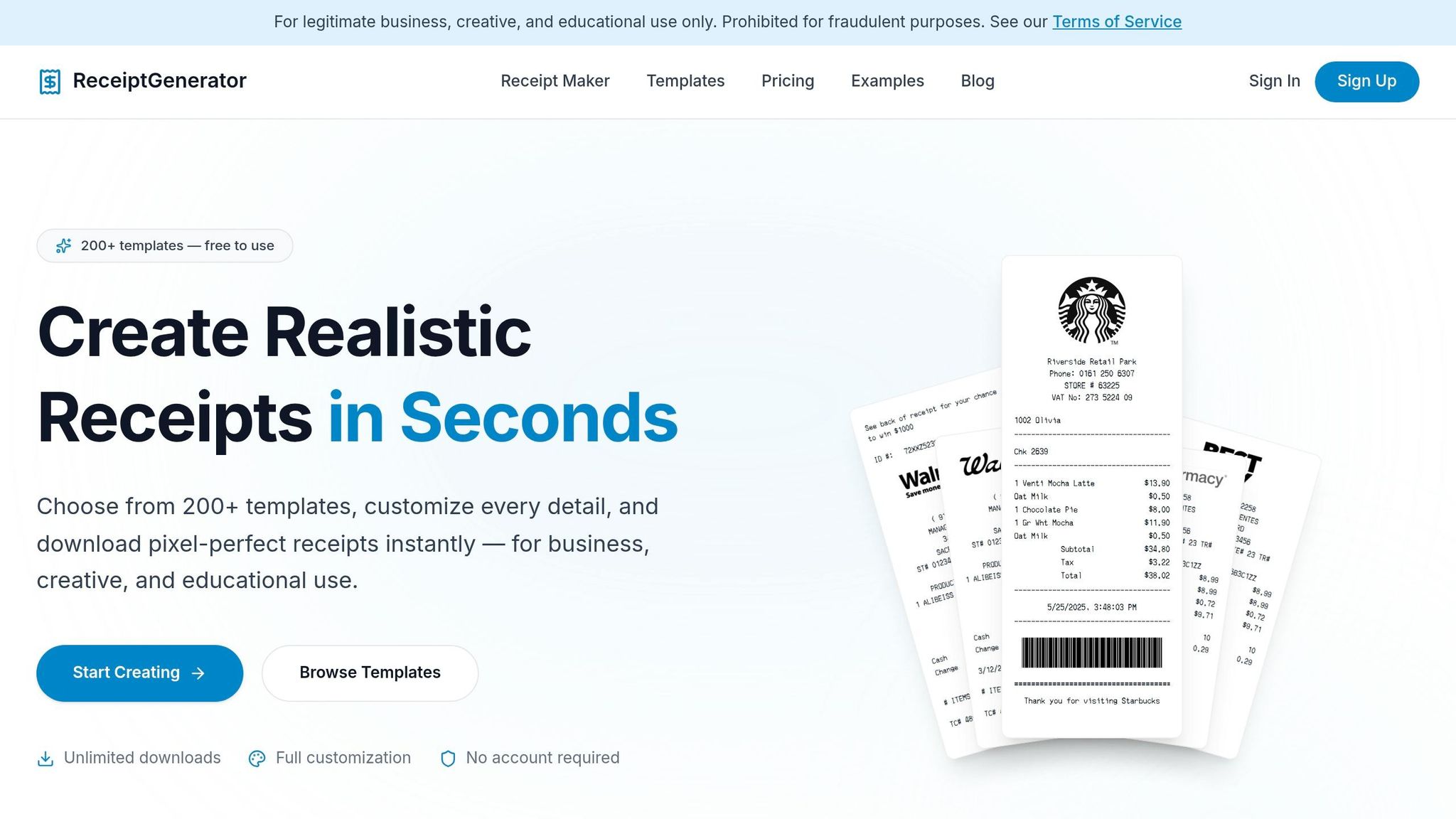
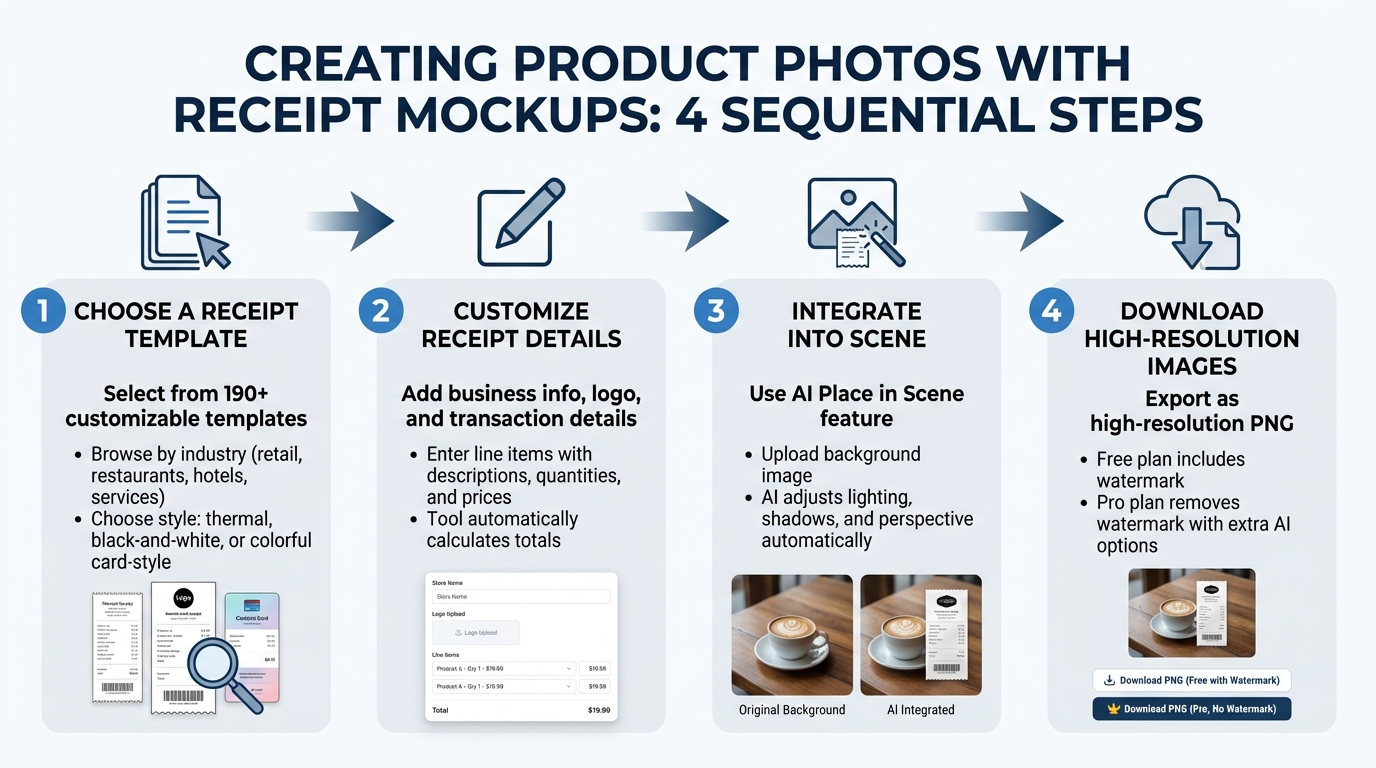
4-Step Process to Create Product Photos with Receipt Mockups
Step 1: Choose a Receipt Template
Start by selecting a receipt template that fits the context of your product photo. With over 190 customizable options, you can browse templates by industry - whether it's retail, restaurants, hotels, or services. This ensures you find the perfect match for your needs.
Not sure which template to pick? Just describe your scenario in plain terms. For example, type something like "coffee shop receipt for two lattes", and the AI will suggest the best font, layout, and data structure for you. You can also select from various styles: a traditional thermal design for a classic point-of-sale vibe, a clean black-and-white style for a sleek, modern look, or a colorful card-style format for something more contemporary. Fonts play a big role in making the receipt look authentic - options like OCR-A and Epson mimic thermal printers, while Courier gives off a vintage typewriter feel.
Once you’ve chosen your template, you’re ready to fill in the transaction details.
Step 2: Customize Receipt Details
Personalize the receipt by adding your business information, uploading a logo, setting the receipt number, and selecting the transaction date and time.
Then, add line items for the products or services. Enter descriptions, quantities, and unit prices, and the tool will calculate the totals for you automatically. Using specific descriptions - like "2-hour plumbing repair - kitchen sink drain" - makes the receipt more realistic. You can also select a payment method and include footer notes, such as return policies or thank-you messages.
After checking all the details, use the AI Place in Scene feature to blend the receipt into your chosen background.
Step 3: Integrate the Receipt into a Scene
Once your receipt is ready, it’s time to make it part of a realistic setting using the AI Place in Scene feature. Upload a background image - this could be anything from a wooden desk to a marble countertop or a product display. The AI will automatically position the receipt with accurate lighting, shadows, and perspective. This creates an image that looks as though the receipt was physically printed and placed in the scene, making your visuals more believable.
With the receipt seamlessly integrated, you’re almost done.
Step 4: Download High-Resolution Images
Finally, export your finished image as a high-resolution PNG. Keep in mind that free plan exports include a watermark, while the Pro plan removes it and offers extra AI scene placement options. Regardless of the plan, all exports maintain professional quality, making them suitable for both digital and print purposes.
sbb-itb-2232899
Tips for Making Realistic Receipt Mockups
Pick Receipt Styles That Look Real
The key to a convincing receipt mockup is picking a style that matches the business you're portraying. A receipt for a coffee shop should feel different from one for a hardware store, right? Since thermal printers are the go-to for most businesses, choosing a thermal-style template with a clean, monospace font can make your mockup feel instantly more genuine. For vintage or boutique vibes, try fonts like Courier to channel that old-school typewriter aesthetic. Stick to layouts that mimic the receipts people see every day - this familiarity adds an extra layer of believability. Once you've nailed the style, it’s time to focus on the small but important details.
Get the Details Right
Details can make or break a realistic receipt mockup. Start with sequential receipt numbers (e.g., #1024, #1025) instead of random ones - this mirrors how businesses track transactions. Add a separate line for tax, like "Sales Tax (8.25%): $2.48", as this is both a legal norm in many places and a way to make your receipt look more credible. Include payment details such as "Visa ****1234" or "Cash" to reflect real-world transactions. Be specific with item descriptions - avoid generic terms. For example, "Latte (16oz)" feels more authentic than just "Drink." Also, double-check your calculations for subtotals, taxes, and totals to ensure they add up correctly. If you're including discounts, display them as negative values to keep the math accurate. Once you've perfected the details, the next step is to integrate the receipt into your scene seamlessly.
Use Natural Lighting in Your Photos
Lighting can make all the difference when placing your receipt into a scene. If you're using a background image with the AI Place in Scene feature, the lighting in that image plays a huge role in how natural the receipt looks. Natural daylight is your best bet - it creates soft, even shadows that help the receipt blend in naturally. On the other hand, harsh overhead lighting or strong directional light can cast unnatural shadows, making the receipt look out of place. To get it right, try shooting near a window or using diffused light sources. A well-lit, naturally composed background gives the AI the best chance to match the receipt's lighting and perspective, ensuring it looks like it truly belongs in the scene.
How to Use Receipt Mockups for Marketing and Business
Improve Product Marketing Photos
Receipt mockups can bring a sense of realism to your product photography, making your images feel more like everyday moments rather than overly staged setups. Including a receipt alongside your product visually tells the story of a completed purchase, which works great for social media posts or website banners.
You can personalize these mockups by adding your logo, using matching fonts, and including specific item descriptions to make the receipts look authentic. Adding modern elements like QR codes or digital wallet payment icons keeps the design up-to-date, while realistic textures, such as thermal paper effects, add a layer of depth that makes your visuals pop. These touches can help businesses of any size create more relatable and engaging marketing materials.
Help for Freelancers and Small Businesses
Receipt mockups aren't just for marketing - they're a practical tool for freelancers and small businesses to create professional-looking documentation. In just minutes, you can generate polished receipts for client presentations or record-keeping purposes. For example, a photographer could design a receipt for a "2-hour photography session - downtown location", complete with their logo and contact info. Similarly, consultants can itemize services with clear tax breakdowns.
Features like sequential numbering and detailed line items make it easier to keep track of your records and ensure they're valid for tax filings or expense reports. Organizing receipts by year and month (e.g., "Receipts/2026/03") is a simple way to stay on top of your paperwork. These mockups also work seamlessly with receipt generator tools, producing high-quality, realistic receipts for both practical and professional use.
Creative Projects and Educational Use
Receipt mockups are versatile tools for creative and educational projects. UI/UX designers, for instance, can use them to enhance app mockups or portfolios by showcasing e-commerce flows or payment interface designs. Content creators can generate sample receipts for tutorials on budgeting, shopping apps, or financial literacy without needing actual transactions. Filmmakers and video producers often use them as props to add authenticity to scenes requiring realistic documentation.
Educators can also benefit from these mockups. Teachers in subjects like accounting, retail management, or business math can create custom receipts to illustrate specific lessons, such as calculating taxes on purchases. These mockups make it easy to demonstrate real-world scenarios, like itemized pricing, discounts, or payment methods, in a way that's clear and visually engaging. Whether for professional portfolios or classroom use, receipt mockups provide a flexible way to bring ideas to life.
Conclusion
By following these simple steps, you can create professional receipt mockups that elevate both your marketing visuals and documentation. Tools like Receipt Generator make it effortless to design realistic receipt mockups and incorporate them into product photos - no design expertise or pricey software required. Thanks to AI-powered features, lighting, shadows, and perspective are automatically adjusted, ensuring your receipts look natural in any setting. Whether you're working on marketing materials, client documentation, or educational projects, you can craft realistic receipts in less than a minute.
The platform's AI Place in Scene feature is particularly effective, allowing you to position your receipt on various surfaces - be it a wooden desk, marble countertop, or next to your products. This saves time and delivers high-resolution images that are ready to use immediately. With over 190 customizable templates and the option to upload your own logos, it's easy to align the receipts with your brand's style and industry requirements.
"AI Mockup Generator has completely transformed how I showcase my designs online. I can create realistic product mockups quickly without relying on templates or professional photography." - S.L., E-commerce Seller
Satisfied users have already seen the benefits, and getting started couldn't be easier. There's no need to sign up or install anything - just choose a template, edit the details, and download a high-resolution PNG file. For businesses managing multiple campaigns, saving custom templates ensures a consistent, polished look across all your visuals.
Start now to enhance your product imagery and simplify your workflow.
FAQs
Can I use these receipt mockups legally in ads or client work?
Yes, using receipt mockups created with digital tools is permissible in ads or client work, provided they are used for legitimate purposes such as mockups, presentations, or marketing materials. However, they must never be employed to deceive, mislead, or engage in fraudulent activities. Always ensure your usage aligns with relevant laws and ethical standards.
What photo backgrounds work best for AI Place in Scene?
The best photo backgrounds for AI Place in Scene are those that feel natural, have a studio-like quality, and offer customization options. AI tools can create smooth, professional environments that work perfectly for product photography. Prioritize backdrops that highlight the product without clutter, ensuring a clean and refined look.
How do I make a receipt mockup look authentic?
To design a realistic receipt mockup, make sure to include key elements such as the business name, contact information, date, receipt number, and an itemized list with prices. Don’t forget to add the subtotal, taxes, total amount, and the payment method used.
For a more lifelike appearance, tweak the fonts, alignments, and even the textures of the receipt. Including details like a logo, barcodes, or QR codes can make it even more convincing. A clean and organized layout is crucial to maintain a professional look.