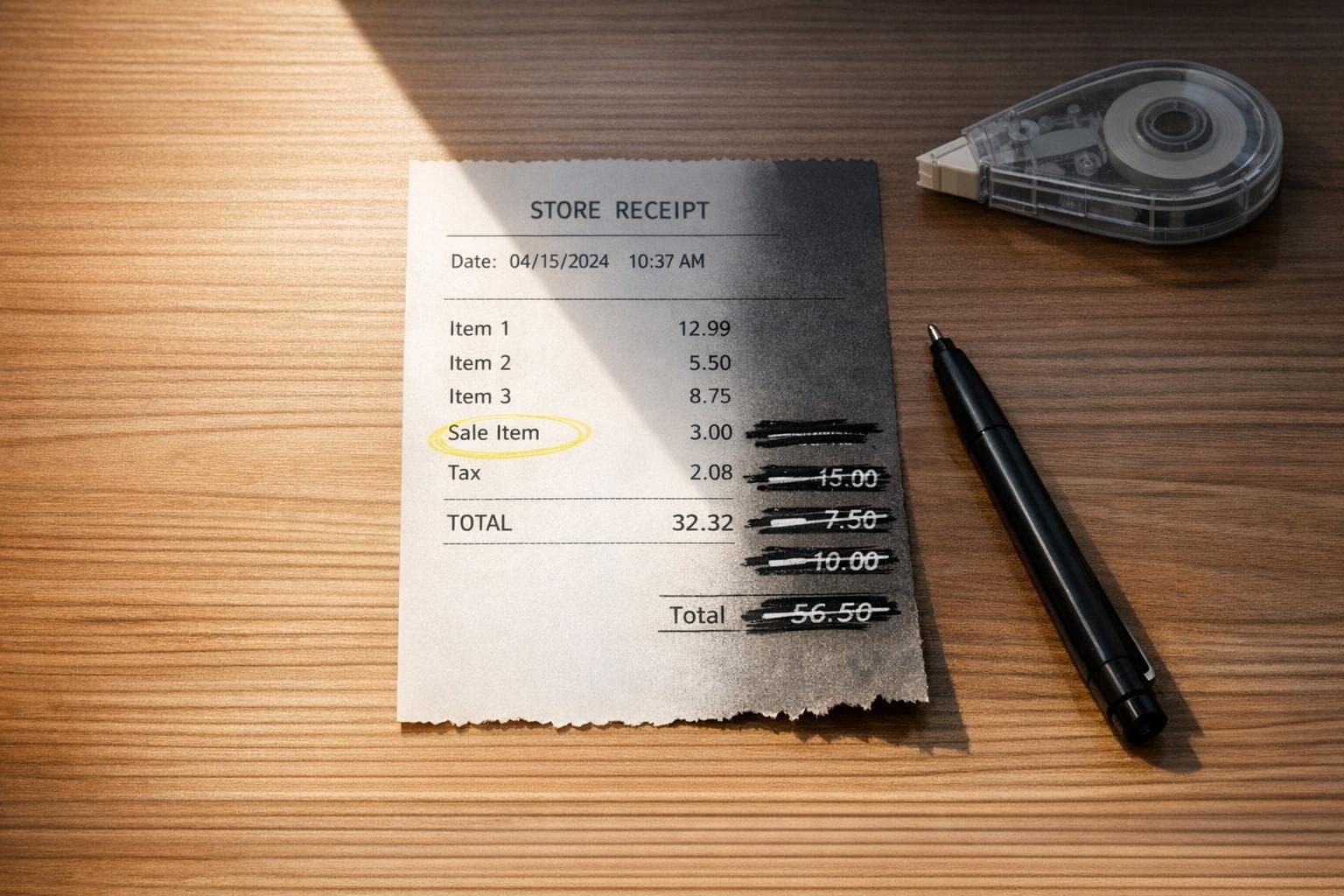
Can You Edit a Receipt? Common Questions Answered
Editing a receipt is legal in the U.S. when done to correct genuine errors, like typos or miscalculations, without intent to deceive. Fraudulent edits - altering details for personal gain - are illegal and can lead to serious penalties, including fines and jail time. Always ensure corrections are transparent, retain the original receipt, and follow proper procedures to maintain compliance.
Key points:
- Legal corrections: Fixing typos, duplicate charges, or missing details is allowed.
- Fraudulent edits: Altering receipts for financial gain is illegal.
- IRS requirements: Keep receipts for 3–7 years; digital copies are acceptable if legible.
- Best practices: Void incorrect receipts, issue corrected versions, and maintain an audit trail.
Tools like Receipt Generator can help create accurate, professional receipts, but they must be used responsibly to ensure compliance with legal and ethical standards.
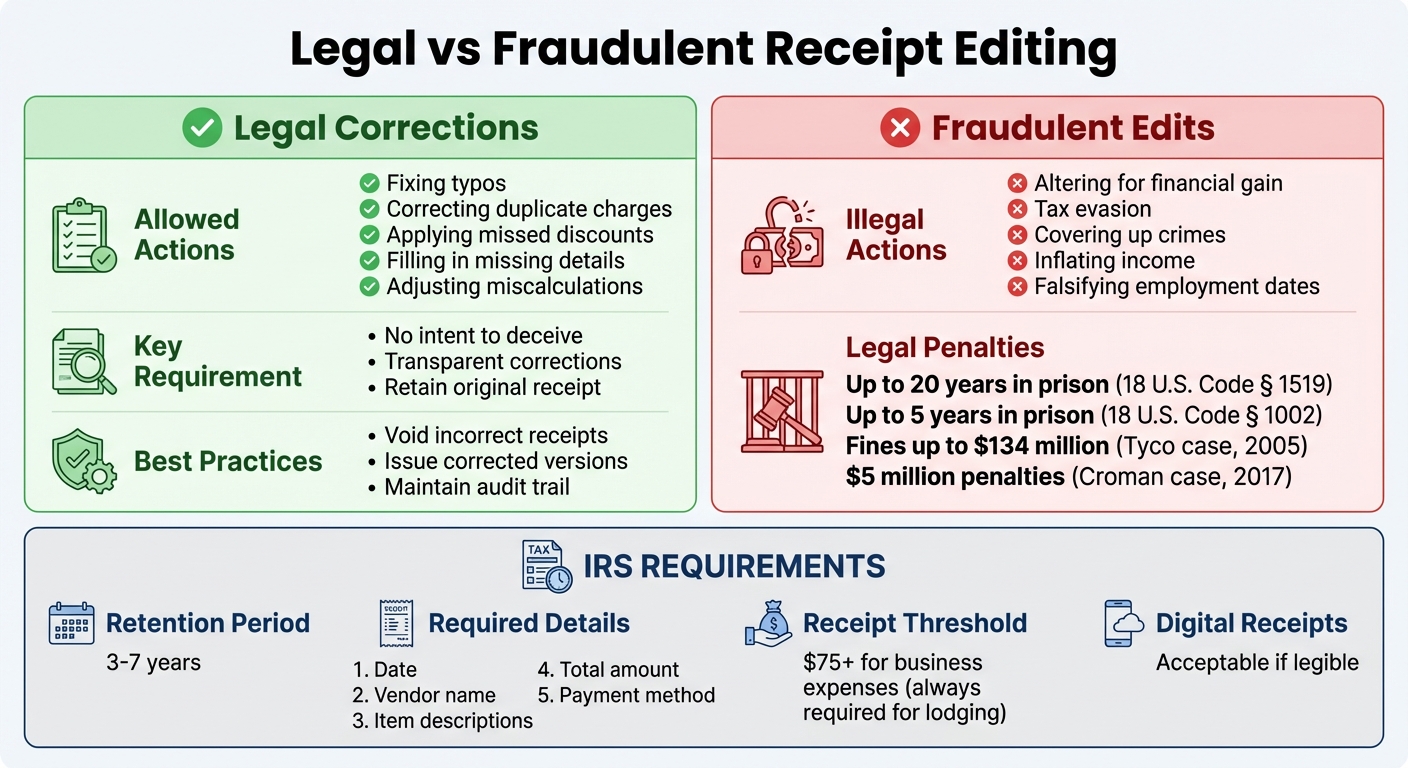
Legal vs Fraudulent Receipt Editing: Key Differences and Penalties
Is It Legal to Edit a Receipt?
In the United States, whether editing a receipt is legal or not largely depends on the reason behind the change. It’s typically permissible to amend a receipt or invoice if you’re correcting an error or filling in missing details, as long as there’s no intent to deceive anyone for personal gain. The key question is whether the change is a legitimate correction or a deliberate falsification. By understanding these boundaries, you can avoid crossing into fraudulent territory.
Legal Corrections vs. Fraud
Making small corrections - like fixing a typo, addressing a duplicate charge, or applying a missed discount - is generally allowed. These types of edits ensure accuracy without any dishonesty. For instance, if a business accidentally charges you twice, correcting the receipt to reflect the accurate amount is entirely within legal limits.
However, falsifying a receipt with the intent to deceive is a completely different matter. Fraud involves knowingly altering details to gain money, avoid taxes, or cover up other crimes. As Laura Harris, CFE, explains in Fraud Magazine:
Intent to defraud in the case of falsifying business records means: Making or causing a false entry in the business records of an enterprise; or altering, erasing, obliterating, deleting, removing or destroying a true entry....
Transparency is critical. If you’re making a correction, it’s wise to inform the other party involved and keep both the original and updated versions. This helps demonstrate that your actions were honest and not intended to mislead.
The consequences of fraudulent receipt editing can be severe. For example, in 2005, Tyco International’s former executives received prison sentences of up to 25 years and were fined $134 million for falsifying business records. Similarly, in 2017, real estate magnate Steven Croman served jail time and paid $5 million in penalties after being convicted of falsifying records and grand larceny. These cases underscore the importance of following legal guidelines when modifying receipts.
U.S. Laws That Apply to Receipt Editing
Federal and state laws emphasize the importance of intent when it comes to altering receipts. For example, under 18 U.S. Code § 1519, it is illegal to knowingly falsify any record with the intent to obstruct federal investigations or bankruptcy cases. Violations can lead to up to 20 years in prison. Similarly, 18 U.S. Code § 1002 makes it a crime to possess altered documents with the intent to defraud the U.S. government, carrying penalties of up to five years in prison. According to the law:
Whoever knowingly alters, destroys, mutilates, conceals, covers up, falsifies, or makes a false entry in any record, document, or tangible object with the intent to impede, obstruct, or influence the investigation or proper administration of any matter within the jurisdiction of any department or agency of the United States... shall be fined under this title, imprisoned not more than 20 years, or both.
State laws also play a role. For instance, Florida Statute 817.645 makes falsifying a signed credit card invoice a criminal offense. In New York, falsifying business records can escalate from a misdemeanor to a felony if it’s done to hide another crime, such as larceny.
When it comes to taxes, the IRS allows digital receipts, scanned copies, and photos as long as they’re legible and include all necessary details. The IRS requires receipts for single business expenses of $75 or more, and lodging expenses always need documentation, regardless of the amount. Requirements can vary by state, too. In New York, retailers must provide receipts for purchases over $5, while California mandates that receipts for transactions above $15 include specific details like the retailer’s permit number and tax amount.
sbb-itb-2232899
When Is Editing a Receipt Ethical?
Ethical receipt editing revolves around ensuring that the document accurately reflects the facts of a transaction. While legality and ethics often overlap, they aren’t identical. Edits should only correct genuine mistakes - like typos, miscalculations, or missing details - not alter information for personal gain.
Ethical Reasons to Edit Receipts
There are valid situations where editing a receipt is appropriate. For example:
- Fixing administrative errors, such as typos on a W-2 form.
- Adjusting wage or hour records to account for overtime or retroactive pay increases.
- Correcting miscalculations in tax withholdings or insurance premiums to align with the actual transaction.
In cases where receipts are lost, the IRS’s Cohan Rule allows taxpayers to estimate deductions as long as they provide supporting evidence. These types of corrections ensure transparency and accuracy, which are essential for maintaining trust.
The key is to follow proper procedures and act with clear intent, ensuring that any changes reflect the truth without misuse - a topic explored further in the next section.
How to Avoid Misuse and Fraud
Maintaining ethical standards means respecting both the intent and source of financial documents. Unethical edits - such as inflating income or falsifying employment dates - can lead to serious consequences, including charges of bank fraud under 18 U.S. Code § 1014.
Only the original issuer of a document should make corrections. If you spot an error, reach out to your HR or payroll department in writing. For businesses, the best practice is to void the incorrect document, issue a corrected version, and retain both for audit purposes.
As Kellan A. Pilot, a Certified Accountant, explains, "A valid receipt creates an unbroken chain of evidence between a buyer and a transaction". Responsible receipt editing not only protects you but also upholds trust in the financial system as a whole.
How to Correct Errors on a Receipt
Fixing errors on a receipt depends on its format, and every correction must leave a clear audit trail.
Manual Corrections and Corrective Invoices
For printed receipts with minor mistakes - like a misspelled street name - you can simply strike through the error with a single line, write the correct information above it, and have an authorized representative initial the change. This method works for small, non-critical errors.
When it comes to major issues, such as incorrect prices, dates, or tax identification numbers, a more formal process is needed. The best approach is to void the original receipt and issue a new one using the next sequential number. Mark the incorrect receipt with "VOID" in red ink and keep it intact. Both the voided and corrected receipts should be retained to ensure a complete audit trail.
It’s important to avoid using correction fluid, erasures, or overwriting errors, as these can invalidate the receipt for tax purposes. Only the original issuer - whether a merchant or employer - has the authority to make corrections, ensuring transparency and compliance with audit standards.
For digital receipts, maintaining a similar audit trail is essential, but corrections are handled using specialized tools.
Using Digital Tools for Receipt Editing
While manual corrections involve physical changes, digital tools simplify the process. These platforms allow you to update key details like store names, addresses, itemized lists, prices, tax rates, and dates.
For example, Receipt Generator offers over 190 customizable templates from well-known stores like Walmart, Target, and Amazon. These templates ensure that corrected receipts match the original format. The tool also includes built-in calculators for tax and subtotals, reducing the risk of manual calculation errors, and real-time previews help verify accuracy before downloading the final file. This approach not only makes corrections easier but also ensures compliance with IRS standards.
To meet IRS requirements, every corrected digital receipt must include the following five elements: the date, vendor name, item descriptions, total amount, and payment method. Assign unique, sequential receipt numbers to maintain a clear audit trail, and always export corrected receipts as high-quality PDF or PNG files. This ensures they remain legible for the required retention period of 3–7 years.
How Receipt Generator Can Help You Edit Receipts
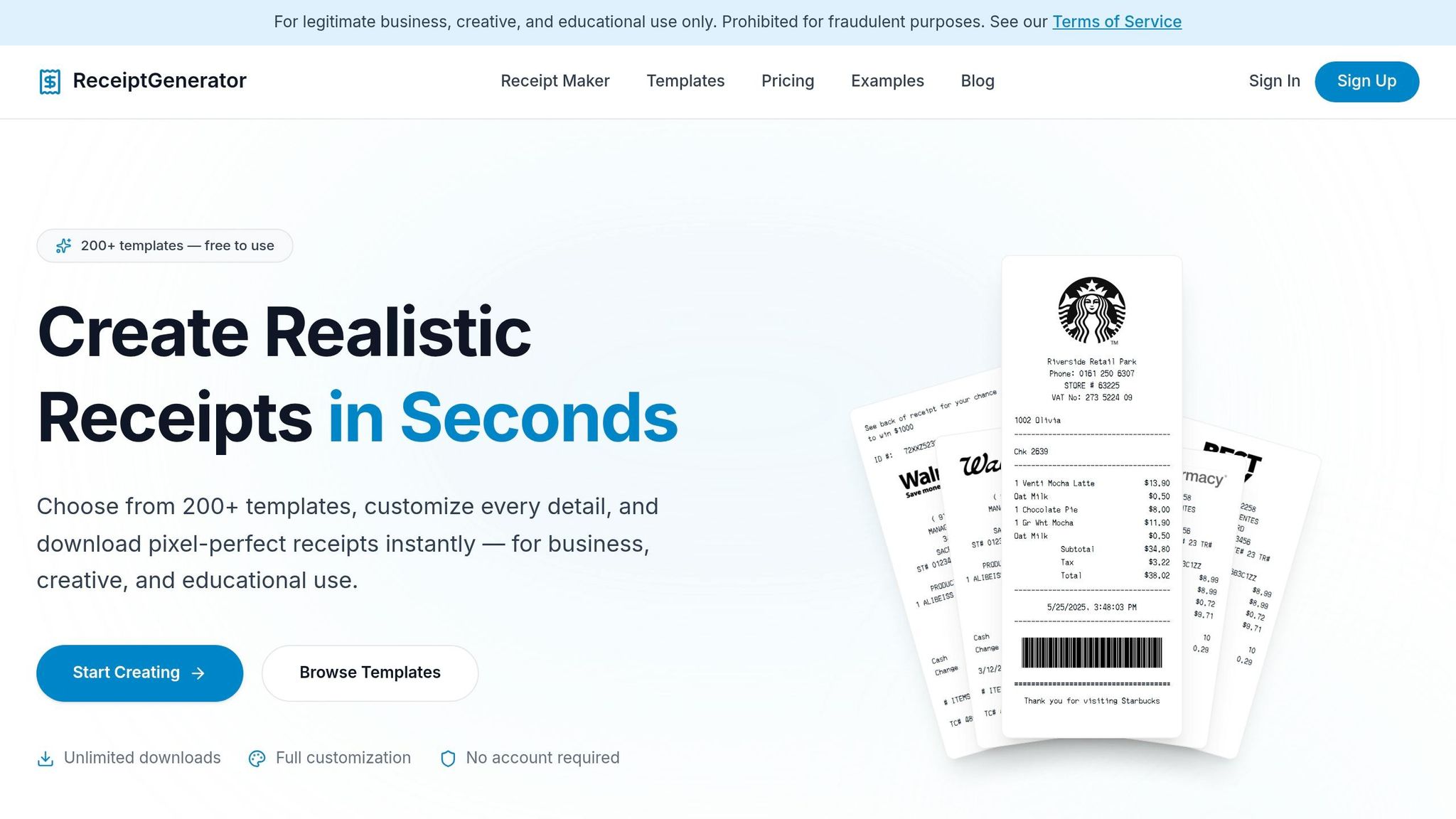
Receipt Generator makes editing receipts straightforward, offering tools to create polished and accurate documents. With this platform, you can adjust every detail - store names, addresses, line items, quantities, prices, and tax rates - ensuring your receipts look professional and meet any necessary standards. These features seamlessly align with the correction steps previously discussed.
Templates for Popular Stores
Once you've made your edits, Receipt Generator simplifies the process further with its library of over 190 customizable templates. These templates replicate receipts from well-known retailers and restaurants like Walmart, Target, Starbucks, McDonald's, and Best Buy. With attention to detail, the templates use fonts such as OCR-A and Epson, along with thermal paper textures and print effects, to closely mimic authentic store receipts.
You can easily modify fields to suit your specific needs. Update store numbers, operator or terminal IDs, manager names, or even add custom messages like "Thank you for shopping." Plus, the platform includes built-in calculators that automatically update subtotals and taxes as you adjust prices, saving time and ensuring accuracy.
Free vs. Pro Plans: Export Options
Receipt Generator offers both free and Pro subscription plans, each tailored to different needs. The free plan provides access to all 190+ templates and the editor without requiring an account, though exports include a watermark. The Pro plan removes the watermark and allows you to save receipts for future edits.
| Feature | Free Plan | Pro Plan |
|---|---|---|
| Template Access | All 190+ templates | All 190+ templates |
| High-resolution PNG Exports | With watermark | Watermark-free |
| Receipt Storage | Local browser storage | Cloud-saved for later access |
| Account Requirement | No sign-up needed | Sign-up required |
Both plans let you export receipts as high-quality PNG files. For professional purposes like reimbursements or business records, the Pro plan’s watermark-free exports provide a cleaner, more polished look ideal for formal documentation. This flexibility ensures you can create receipts that meet your exact needs.
Conclusion
Editing receipts is permissible when done for legitimate purposes like correcting errors, replacing lost documents, or maintaining accurate records. As attorney Jaclyn Wishnia explains, "The act of false invoicing may also constitute invoice fraud... if a vendor or business made a mistake, they may be able to amend an invoice".
To meet IRS requirements, receipts must include key details such as the date, vendor name, item description, amount paid, and payment method. For manual receipts, it's crucial to void the incorrect version and issue a new one to maintain a clear audit trail.
For a streamlined and compliant approach, digital tools like Receipt Generator offer a practical solution for accurate receipt modifications. With 190+ customizable templates, specialized fonts, and thermal paper textures, it replicates authentic store formats and allows users to create polished receipts in just 2–3 minutes. The structured data fields ensure receipts are audit-ready and meet compliance standards.
For professional needs, the Pro plan provides watermark-free exports, making it ideal for reimbursements and formal documentation. By combining ethical practices with reliable digital tools, you can ensure both compliance and efficiency in receipt management.