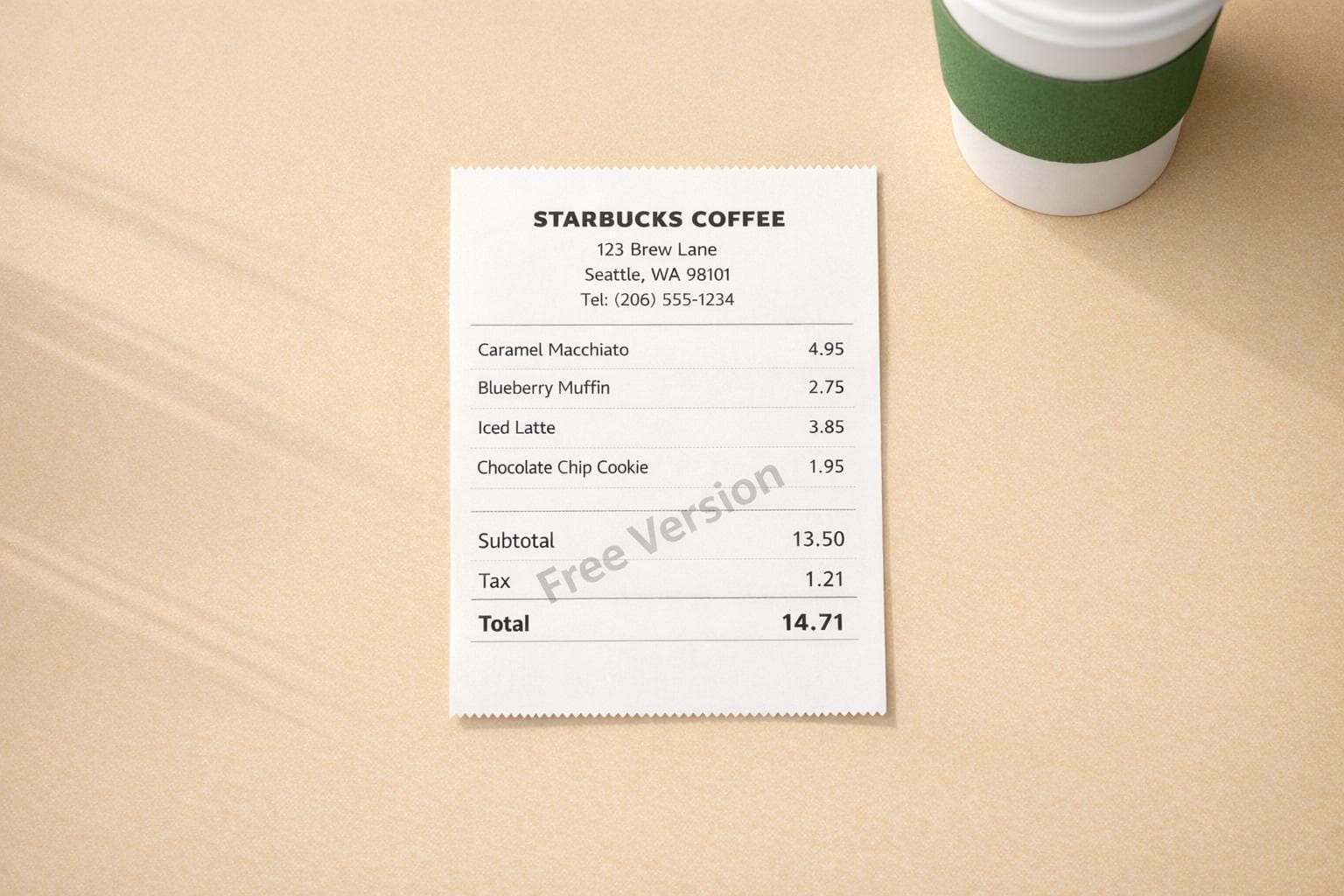
Free Starbucks Receipt Generator: Create Custom Starbucks Receipts
Need a Starbucks receipt? A free Starbucks receipt generator lets you create detailed, professional-looking receipts in minutes. Input details like store location, items purchased, prices, tax rates, and payment method, and download your receipt instantly as a PDF or PNG. Whether you lost a receipt, need one for financial tracking, or want a prop for a project, this tool provides a quick solution.
Key Features:
- Over 190 templates, including Starbucks-specific designs.
- Customizable details: store address, items, prices, taxes, and more.
- Realistic design with thermal-style fonts and receipt textures.
- Free version includes watermark; upgrade for watermark-free downloads.
Common Uses:
- Replacing lost receipts for expense reports or reimbursements.
- Financial tracking: Monitor spending and organize digital records.
- Creative projects: Use for props, design mockups, or testing OCR tools.
How It Works:
- Visit the Receipt Generator website.
- Select the Starbucks template.
- Customize transaction details (store info, items, prices, etc.).
- Download your receipt as a high-resolution PNG or PDF.
This tool is fast, easy to use, and helps you recreate receipts for practical or creative purposes.
How to Create a Custom Starbucks Receipt
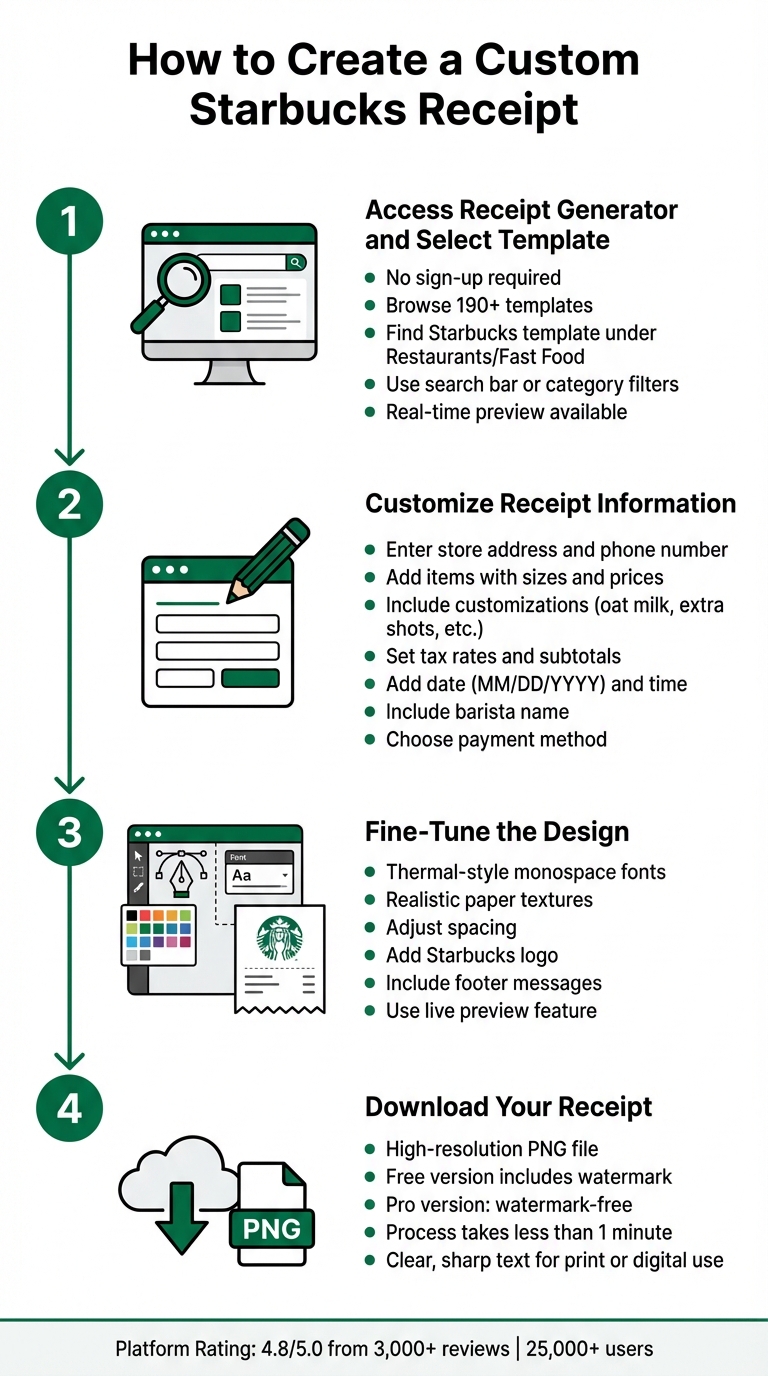
How to Create a Custom Starbucks Receipt in 4 Steps
You can easily create a custom Starbucks receipt using Receipt Generator, a platform with an impressive 4.8/5.0 rating from over 3,000 reviews. Just follow these four simple steps to customize and download your receipt.
Step 1: Access Receipt Generator and Select the Starbucks Template
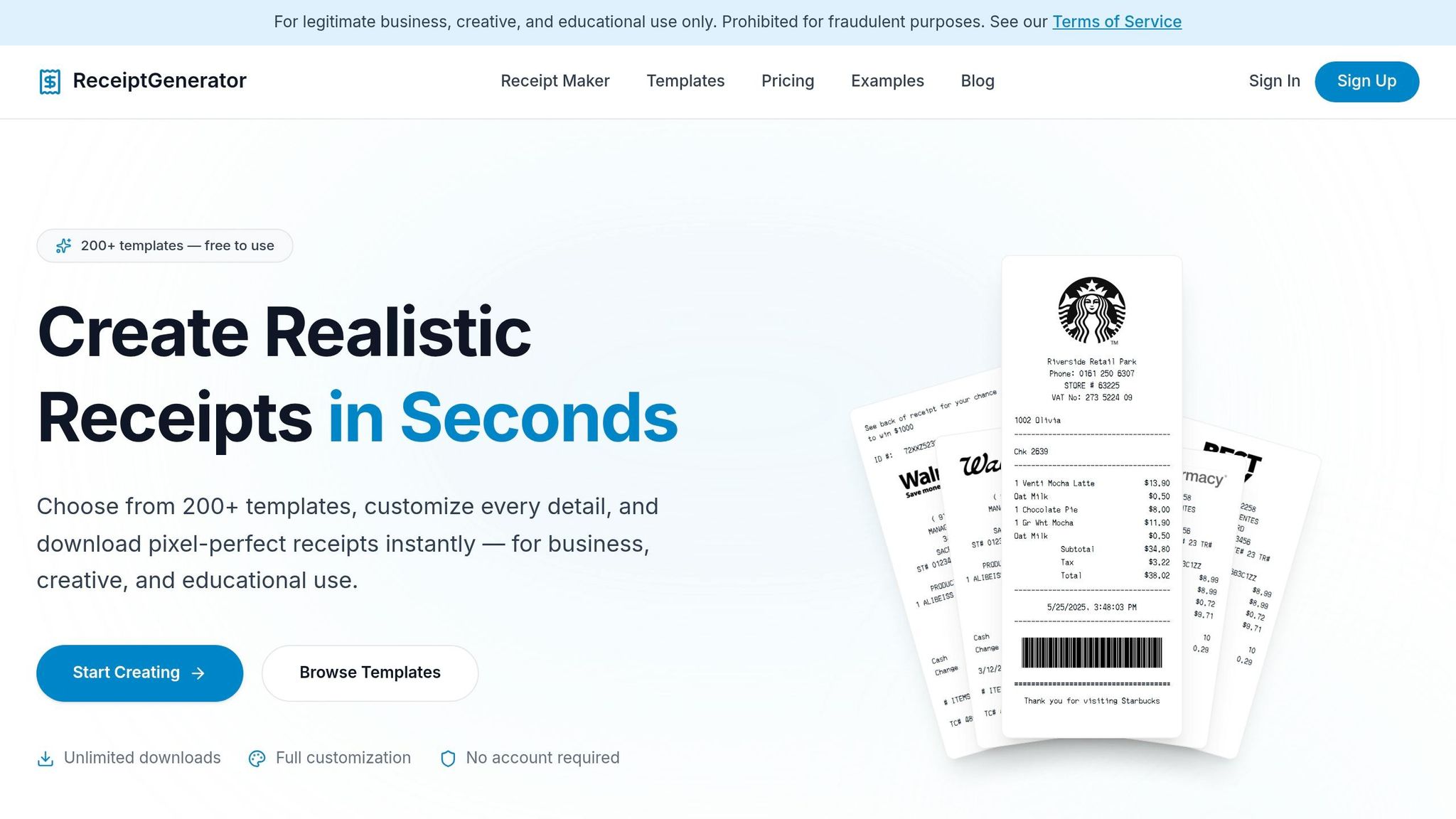
Head to the Receipt Generator website - no sign-up or account is needed. Once there, go to the Browse templates section, which features over 190 options. Look for the Starbucks template, usually listed under Restaurants or Fast Food. Use the search bar or category filters to find it quickly, and take advantage of the real-time preview feature to confirm the layout matches what you need. Once you've found the right template, you can move on to editing the details.
Step 2: Customize Receipt Information
After selecting the Starbucks template, you can edit all key details. Start by entering the store's address (street, city, and zip code) and phone number to match the location you want. Then, add the items purchased, including sizes, names, and prices. You can even include drink customizations like oat milk, almond milk, extra espresso shots, light ice, or toppings such as caramel drizzle. Adjust the tax rates and subtotals as needed - some tools even calculate these automatically. Don’t forget to set the transaction date in MM/DD/YYYY format, specify the time of purchase, and include the barista's name. Finally, choose your payment method to complete the transaction details.
Step 3: Fine-Tune the Design for Realism
To make your receipt look authentic, tweak the design elements. Receipt Generator uses thermal-style monospace fonts and realistic paper textures that resemble actual Starbucks receipts. You can adjust the spacing, add the Starbucks logo, and include footer messages or disclaimers. Use the live preview feature to ensure everything looks polished and professional.
Step 4: Download Your Receipt
Once you're satisfied with the edits, download your receipt as a high-resolution PNG file. The free version of Receipt Generator gives you full access to templates and editing tools, but downloads will include a watermark. If you need a watermark-free version for professional use, consider upgrading to the Pro subscription. From start to finish, the entire process takes less than a minute, and the high-resolution file ensures clear, sharp text whether you print it or share it digitally.
sbb-itb-2232899
How to Make Your Starbucks Receipt Look Real
Creating a convincing Starbucks receipt involves replicating the details and design of authentic receipts from real locations worldwide. To achieve this, focus on both the content and the layout. Every detail matters.
Use Correct Formatting and Information
Start with proper U.S. date formatting (MM/DD/YYYY) and include the dollar sign ($) for prices. Use Starbucks' official size names - Tall (12 oz), Grande (16 oz), Venti (20 oz for hot drinks, 24 oz for cold), and Trenta (31 oz for cold drinks) - instead of generic terms like "small" or "large". For example:
- A Venti Pike Place paired with a Blueberry Muffin might total around $8.95.
- A customized Venti Chai Tea Latte (oat milk, extra shot, light ice, caramel drizzle) could be approximately $7.45.
Make sure tax calculations match the store's location. For instance, New York City applies an 8.875% sales tax. Include all drink modifications as they appear on real Starbucks receipts, and don't forget details like the barista's name, a transaction time, and the store's address. These elements add to the receipt's believability.
Once you've nailed the details, shift your focus to the receipt's visual presentation.
Copy Starbucks Receipt Design Features
To mimic the look of a genuine receipt, use a thermal monospace font and add a realistic paper texture. Place the Starbucks logo prominently at the top, maintain proper spacing between line items, and include footer elements like loyalty program info or promotional messages. Payment details should also be specific. For instance:
- "PAID WITH VISA ****4242"
- "Apple Pay"
If the receipt reflects a Starbucks Rewards transaction, note the membership level and how Stars were earned. For example:
- Green Level: 1 Star per $1
- Gold Level: 1.2 Stars per $1
- Reserve Level: 1.7 Stars per $1
Attention to these design features ensures your receipt looks authentic.
Common Mistakes to Avoid
Avoid using generic size terms like "small" or "large." Stick to Starbucks' official size names: Tall, Grande, Venti, and Trenta. Always list customizations individually - real receipts break down every modification (e.g., "Oat Milk", "Extra Shot") instead of summarizing them.
Mathematical errors can ruin the illusion, so double-check that subtotals, tax, and totals add up correctly based on the local tax rate. Also, skipping metadata like the barista's name, transaction time, or store location can make the receipt seem less credible. Finally, specify the payment method - whether it's cash, a specific card, or digital payment like the Starbucks app.
When to Use a Starbucks Receipt Generator
A Starbucks receipt generator can be incredibly useful in both personal and professional scenarios. Whether you’re replacing a lost receipt, working on a creative project, or managing your finances, tools like Receipt Generator allow you to recreate accurate records in no time.
Replacing Lost Receipts
Losing a receipt can be a real headache, especially when it’s needed for reimbursements or returns. For example, if you’ve misplaced a receipt for a business coffee meeting or a client lunch, you can use a receipt generator to recreate it with precise details - such as the date, store location, itemized purchases, and payment method. This ensures it aligns with your bank statement or accounting records. It’s a lifesaver when claiming meal allowances or business reimbursements that might otherwise get denied due to missing documentation.
Thermal receipts, which are common at Starbucks, fade quickly. Instead of risking lost information, you can export a high-resolution file in formats like PDF, PNG, or JPEG for digital storage - or even print it on standard thermal paper widths (80mm or 58mm).
"A missing receipt shouldn't hit your wallet. Generate receipts to claim your allowances for accommodation, meals, and other services." - ReceiptsMaker
These recreated receipts not only restore your records but also open the door to other practical uses.
Creating Mockups for Projects
For professionals like designers, developers, and educators, realistic receipt images can be essential tools. UI/UX designers often incorporate Starbucks receipts into app mockups or portfolio presentations, while software engineers use them to test receipt-scanning features and OCR applications. With options to customize every detail - such as line items, prices, logos, and barcodes - these generated receipts look polished and authentic, making them perfect for creative or educational purposes.
Freelancers and small business owners also benefit, using custom receipts in client presentations to elevate the professionalism of their work.
And it’s not just professionals who gain from these tools - receipt generators can also simplify personal financial tracking.
Managing Personal Finances and Expenses
Organizing your daily spending habits becomes much easier with digitized receipts. For instance, if you’re spending $6 on a Venti drink five days a week, that adds up to $1,560 annually. Keeping digital records can help you track and analyze such expenses. Additionally, Starbucks Rewards members can use detailed receipts to cross-check their actual purchases with what’s recorded in the mobile app.
Custom receipts are also handy for splitting shared expenses, like when colleagues take turns buying coffee. For small business owners and freelancers, these tools can help maintain clean accounting records for side projects or peer-to-peer transactions - without the need for pricey invoicing software. Whether you’re managing personal spending or documenting business expenses, a receipt generator ensures your financial records stay organized and accessible.
Conclusion
Receipt Generator offers a quick and easy way to create professional, custom Starbucks receipts. With no need for signup, you can generate receipts instantly. The tool’s popularity speaks for itself, boasting over 25,000 users and a 4.8/5.0 rating from more than 3,000 reviews. It’s a reliable option for both personal and professional use.
You have complete control over the customization process, while Receipt Generator ensures the design stays true to authentic Starbucks receipts. From realistic thermal paper textures to professional fonts, every detail is carefully crafted. The real-time preview feature lets you fine-tune your receipt until it’s just right. This level of flexibility makes it suitable for a variety of purposes.
Whether you need to replace a lost receipt for expense reports, create mockups for a design project, or organize your personal finances, Receipt Generator provides high-resolution results. Keep in mind that free exports include a watermark, which can be removed by upgrading to the Pro plan. The final output closely resembles an actual Starbucks receipt.
FAQs
Is it legal to use a generated Starbucks receipt?
Using a fake or altered Starbucks receipt to mislead or deceive others is against the law and could lead to criminal charges. This kind of activity violates fraud laws and goes against Starbucks' terms of service.
What details should match a real Starbucks receipt the most?
For a receipt to appear professional and credible, it’s essential to include specific details. These include the store location, items purchased, prices, transaction date and time, and payment method. Each element plays a key role in making the document look legitimate and trustworthy.
How can I make sure the totals and tax look correct?
When creating a Starbucks receipt, start by entering the correct subtotal, the tax rate (usually about 8% in the U.S.), and the total. Make sure the total reflects the subtotal plus the calculated tax. While some tools can auto-calculate totals when you input item prices and the tax rate, it's crucial to double-check the final amount for accuracy. This ensures the receipt looks consistent and professional.