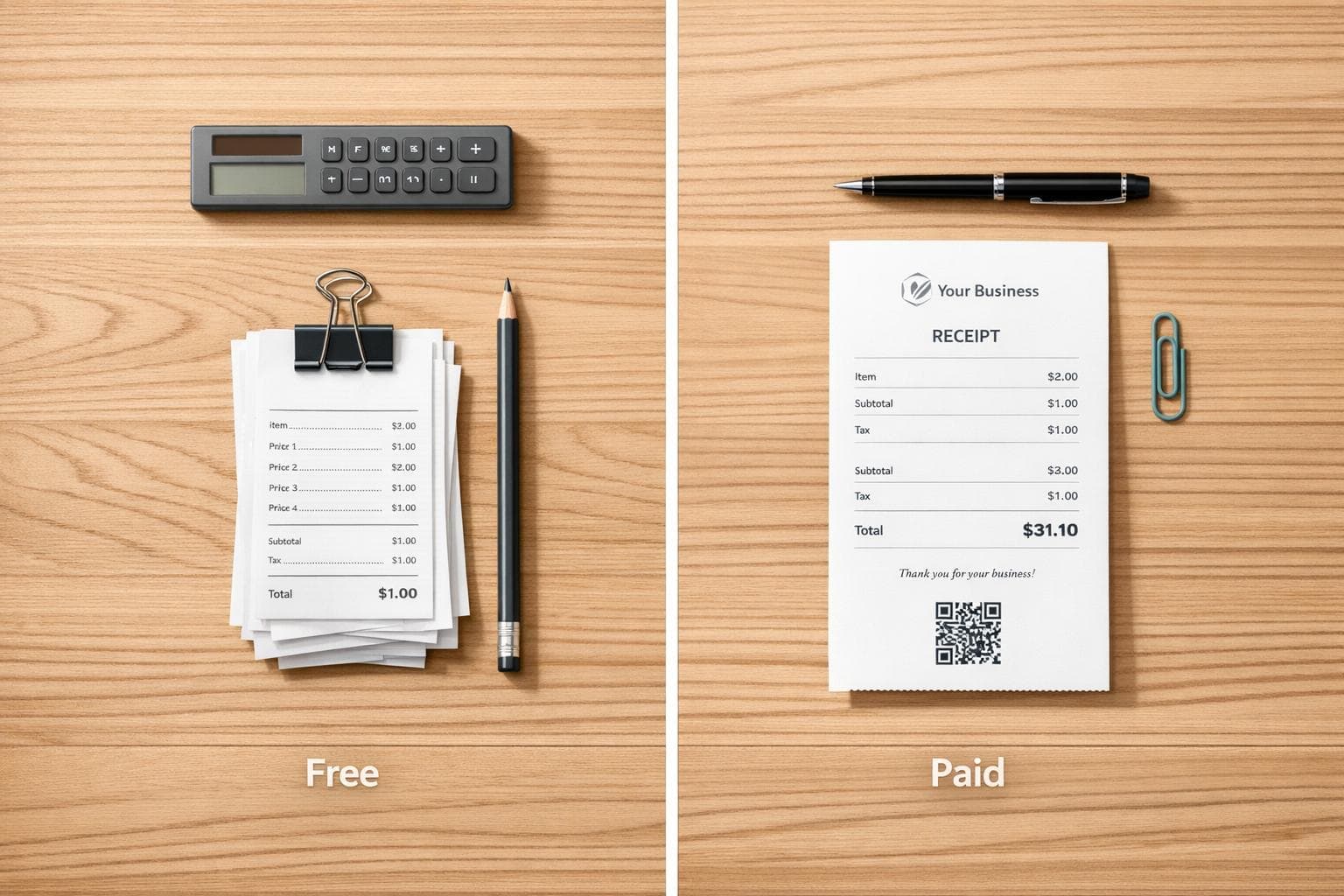
Free vs Paid Receipt Templates: Which to Choose?
When deciding between free and paid receipt templates, it boils down to your business needs:
- Free Templates: Ideal for freelancers, gig workers, or anyone with low transaction volumes. They’re simple, cost nothing, and work for basic receipt needs. Downsides? Limited customization, potential watermarks, and manual data entry.
- Paid Templates: Best for growing businesses or those needing automation, branding, and error reduction. They save time with features like automatic numbering, customer databases, and watermark-free exports. Costs typically range from $10–$60/month.
Quick Takeaway: Use free templates for occasional use or if you’re just starting. Upgrade to paid options if you’re dealing with high volumes, need professional branding, or want to streamline your workflow.
Quick Comparison:
| Feature | Free Templates | Paid Templates |
|---|---|---|
| Cost | $0 | $10–$60+/month |
| Design Quality | Basic, may have watermarks | Polished, no watermarks |
| Customization | Limited | Advanced (colors, fonts) |
| Automation | Manual entry | Auto-numbering, saved data |
| Export Formats | PDF, PNG | PDF, PNG, JPG, cloud sync |
Choose based on your workload, branding needs, and efficiency goals.
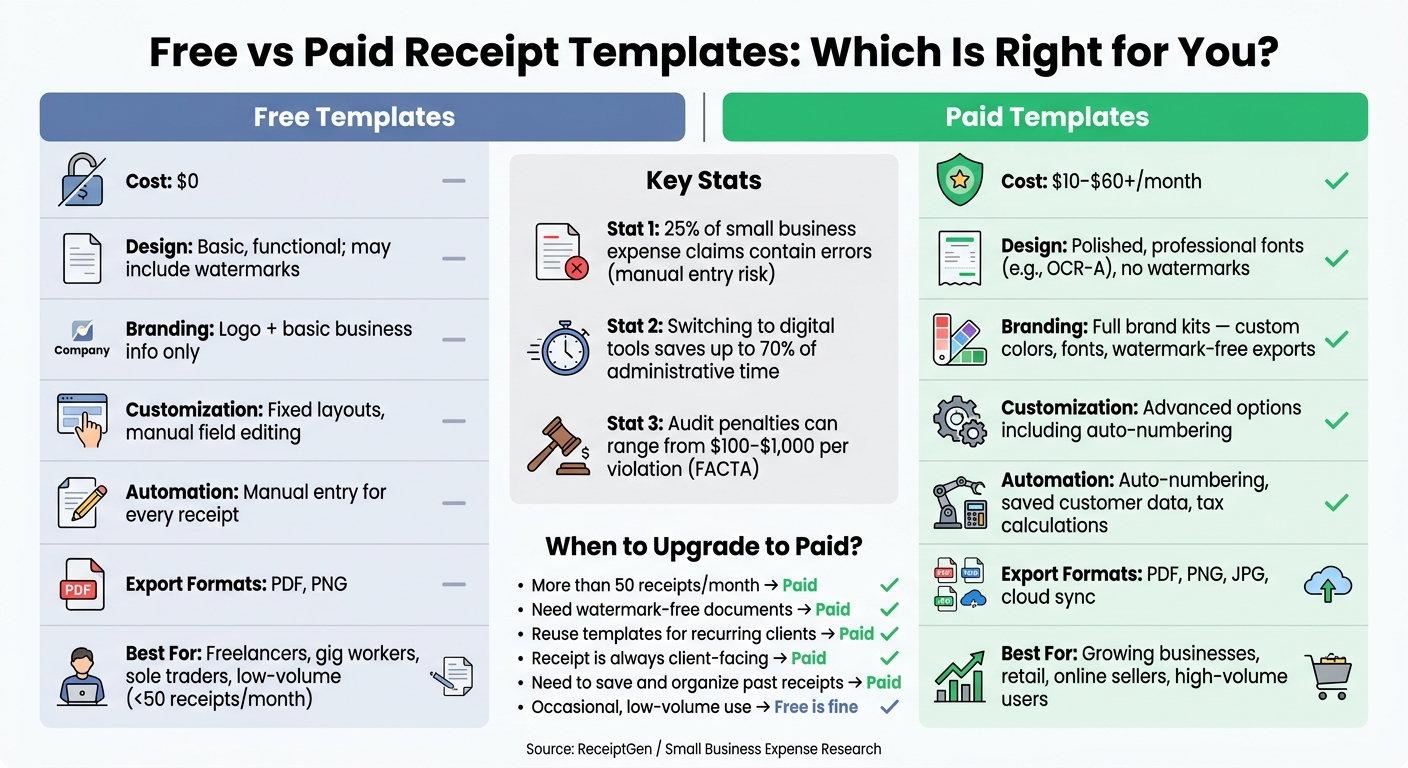
Free vs Paid Receipt Templates: Side-by-Side Comparison
Key Differences Between Free and Paid Receipt Templates
Let's dive into the differences between free and paid receipt templates, breaking down how each option stacks up in terms of design, customization, and overall usability.
Design Quality and Professionalism
Free templates are straightforward and practical. They get the job done with simple designs that are easy to fill out. However, many come with platform watermarks, which can give off a less-than-professional vibe. In contrast, paid templates deliver polished designs with authentic fonts like OCR-A, mimicking real point-of-sale receipts. For businesses where appearances count, this difference can be a game-changer. The added professionalism of paid templates also helps maintain consistent branding.
"The watermark looks a bit 'DIY' even though the design is great." - Jessica Schüler, Content Marketer
Customization and Branding Options
Free tools offer limited customization. You can usually add a logo and update your business name, but that's about it. Paid templates, however, take branding to the next level. They often include full brand kits, allowing you to customize colors, fonts, and even export receipts without watermarks. For businesses that send multiple types of documents - like invoices, proposals, and receipts - consistent branding across all materials strengthens your professional image. Without it, your business might appear less cohesive.
But the differences don't stop at aesthetics. Paid templates also shine when it comes to streamlining your workflow.
Ease of Use and Workflow Efficiency
This is where free and paid options differ the most in everyday use. Free templates require manual data entry for each receipt - there's no way to save customer details, no automatic numbering, and no pre-filled fields. Paid tools eliminate these hassles with automation. Features like saved customer information and automatic receipt numbering save time and reduce errors. If you handle receipts frequently, these time-saving tools can make a big difference.
Free vs Paid Receipt Templates: Feature Comparison
| Feature | Free Receipt Templates | Paid Receipt Templates |
|---|---|---|
| Design Quality | Basic, functional; may include watermarks | Polished, brand-aligned, professional fonts |
| Branding | Logo and basic business info only | Full brand kits with custom fonts and colors |
| Customization | Fixed layouts, manual field editing | Advanced options including auto-numbering |
| Time Efficiency | Manual entry for every receipt | Automated numbering and pre-filled data |
| Export Formats | Usually PDF or PNG | PDF, PNG, JPG, and cloud sync |
| Cost | $0 | $10–$60+ per month |
sbb-itb-2232899
When Free Receipt Templates Work Best
When to Use Free Templates
Free receipt templates can be a great fit for specific situations. If you're a freelancer, gig worker, or sole trader with a low volume of transactions, you probably don’t need all the bells and whistles of paid software. The same goes for landlords, individuals managing private sales, or small nonprofits issuing receipts for donations.
For those just starting a business, free templates offer a simple, cost-effective way to handle receipts without committing to a $30–$50 monthly accounting subscription. They’re a practical, short-term solution to keep things running smoothly at the beginning.
Tips for Getting More Out of Free Templates
One challenge with free templates is that they don’t save work automatically. That means every new receipt starts from scratch. To save time, create a master template with your logo, business name, address, and common line items pre-filled. Save it as a reusable file, like an Excel .xltx template, to simplify your process.
Here are some tips to make free templates more reliable:
- Export as PDF: Converting your receipt to a PDF ensures the formatting stays consistent for your recipient.
- Use organized file names: Stick to a clear naming system like
YYYY-MM-DD_ClientName_ReceiptNumber.pdfto keep your records tidy. - Assign sequential receipt numbers: Manually numbering receipts (e.g., 0001, 0002) creates a clear paper trail, which is particularly important for audits.
- Store receipts in the cloud: Use platforms like Google Drive or OneDrive to protect against hardware failures and ensure easy access.
If you’re working in Excel or Google Sheets, set up formulas like =SUM() for calculating totals. This small step can prevent costly math mistakes, which might cost businesses $10–$20 per transaction.
These practices can help free templates work well for small-scale use, though they may not be ideal as your business grows.
Drawbacks of Free Templates
Free templates aren’t without their flaws. Many come with watermarks that can detract from the professional image you want to present. They also lack features like automatic numbering, customer databases, and integration with accounting tools.
Notably, about 25% of small business expense claims contain errors. While manually entering data may be manageable for occasional use, it becomes more time-consuming and error-prone as your transaction volume increases. At this point, investing in a paid solution often makes more sense.
"Every minute spent deciphering your own handwriting, fighting with spreadsheet formatting, or hunting for a lost receipt is a minute you could have been growing your business." - ReceiptGen Team
When Paid Receipt Templates Are Worth the Cost
Signs You Need a Paid Template
Free receipt templates might seem like a good deal, but they can end up costing you in other ways. If you're spending more than an hour a week fixing errors or manually entering data, it's a clear sign that a paid template could save you time and hassle. Watermarks on free templates can make your receipts look unprofessional, and frequent manual corrections can lead to frustration. Another red flag? Inconsistent receipt numbering, which can cause headaches during audits. Paid templates are designed to address these issues with advanced features that streamline your workflow.
What Paid Templates Offer
Investing in a paid template brings immediate benefits. First, it eliminates watermarks, giving your receipts a polished and professional appearance. Paid options also automate tasks like numbering, customer data input, and tax calculations. This automation can significantly reduce the 25% error rate often seen in small business expense claims. Additionally, features like auto-incrementing receipt numbers and cloud-based audit trails help ensure compliance, cutting down on the risk of audit penalties, which can range from $100 to $1,000 per violation under FACTA regulations.
"When small businesses switch from manual paperwork to a digital tool for these kinds of tasks, they can slash their administrative time by up to 70%." - ReceiptGen Team
Free vs Paid by User Type
The right solution depends on your business needs. Here's a quick breakdown of which option works best for different types of users:
| User Profile | Best Choice | Why Upgrade? |
|---|---|---|
| Freelancer | Free / Low-cost template | Ideal for low-volume needs and basic proof of payment for occasional clients |
| Growing Small Business | Paid solution | Helps track cash flow, manage bank reconciliation, and maintain a professional image |
| Retail / Service Provider | Paid tool | Handles high transaction volumes, syncs inventory, and enables instant receipt delivery |
| Online Seller | Paid automated solution | Integrates with payment gateways and automates receipt delivery |
| Nonprofit / Charity | Specialized template | Includes donor tax-deductibility fields and supports formal record-keeping |
For freelancers with just a few clients, free templates might work well enough. But as your business grows and you deal with more customers, complex tax requirements, and the need for a polished brand image, switching to a paid solution becomes the smarter choice.
How Receipt Generator Covers Both Free and Paid Needs
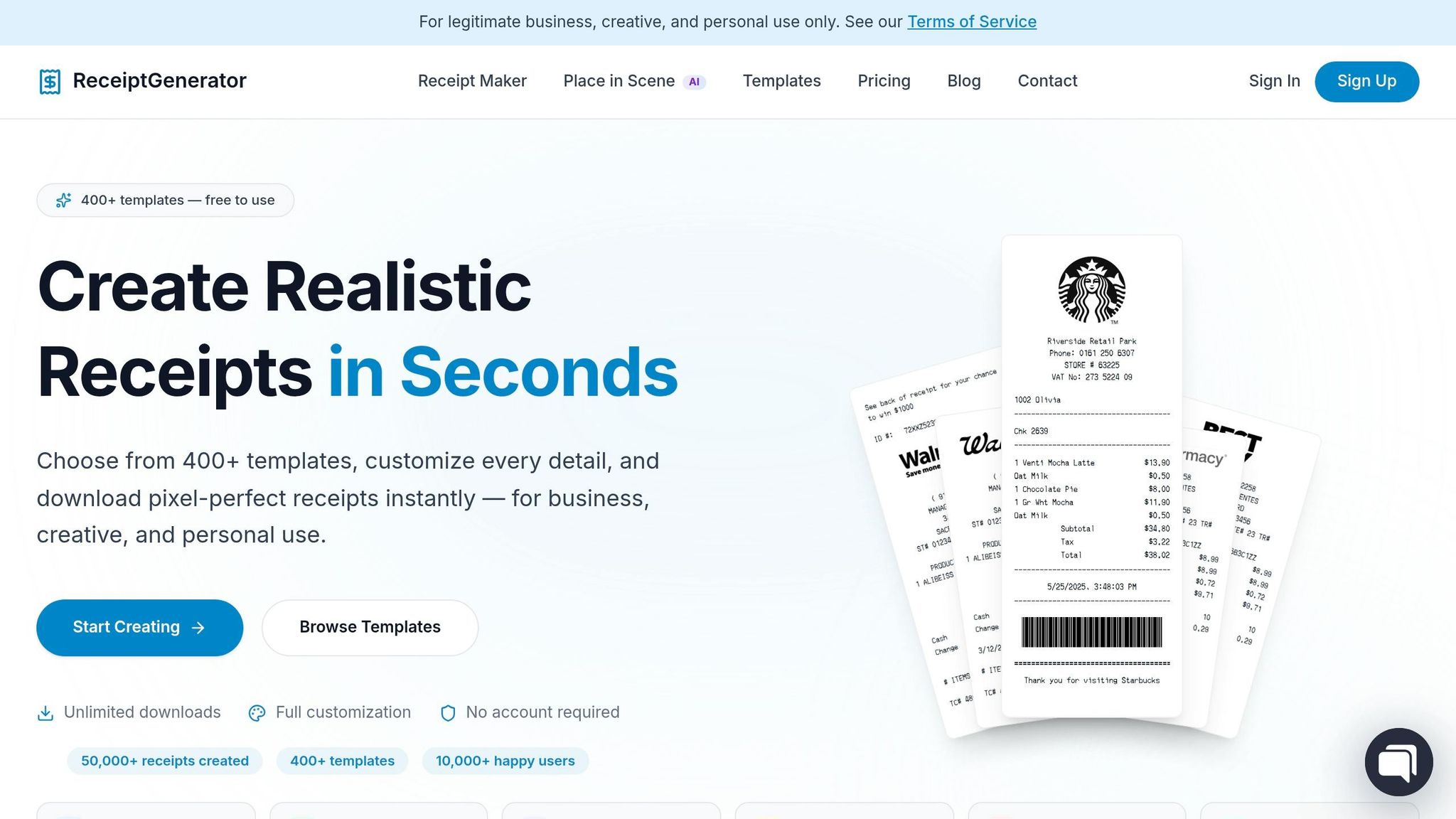
What You Get for Free on Receipt Generator
Receipt Generator offers a mix of free and paid features to cater to a wide range of business needs. On the free plan, you’ll have access to over 400 professional templates tailored to various industries. You can customize these templates by uploading your logo, editing line items, adjusting taxes and discounts, and choosing from professional fonts. The tool handles calculations automatically, providing subtotals, taxes, and totals. Plus, you can download your receipt in high-resolution formats like PDF, PNG, or JPEG. However, these exports come with a small watermark. The best part? You don’t need to sign up or provide credit card details to get started.
For users who require more advanced features or a polished, professional appearance, the Pro plan steps in to meet those needs.
What the Pro Plan Adds
The Pro plan primarily enhances the user experience by removing watermarks and allowing you to save custom templates. This makes it easier to manage recurring transactions. One standout feature of the Pro plan is the AI Place in Scene tool. This feature digitally places your receipt in realistic settings, such as on a wooden desk, a marble countertop, or next to a product. It’s particularly valuable for film and TV prop masters who need receipts that look authentic on camera.
"The Pro plan is built for frequent use, documentation, and professional workflows where watermark-free receipts are required." - Any Receipt Generator
The Pro plan is available for $9.99 per month or $69.99 per year, with no long-term commitments. You can cancel whenever you like.
Matching Receipt Generator Features to User Needs
The table below matches the free and Pro plans to different user needs, summarizing how each plan aligns with specific requirements.
| User Type | Best Plan | Key Feature Match |
|---|---|---|
| Freelancer / Gig Worker | Free | Logo upload, auto-calculations, instant PDF export |
| Growing Small Business | Pro | Watermark-free exports, saved templates, unlimited usage |
| Retail / Service Provider | Pro | High-volume exports, priority template access, faster processing |
| Film / TV Prop Master | Pro | AI Place in Scene, realistic receipt visuals |
| Individual / Personal Use | Free | Quick one-off receipts for warranties or expense tracking |
This breakdown clearly shows that the free plan works well for occasional or low-volume use, while the Pro plan is ideal for users who need advanced features, branding options, and high-volume functionality.
How to Choose Between Free and Paid Receipt Templates
Building on the comparisons above, here’s how to decide whether free or paid receipt templates work best for you.
Start by Assessing Your Needs
Before making a decision, think about three key factors: the number of receipts you generate, the impression you want to leave on clients, and your record-keeping requirements.
- Volume: If you issue fewer than 50 receipts a month, a free template might be enough. But if you're handling higher volumes, automation becomes essential. In fact, switching to digital tools can save up to 70% of your administrative time.
- Branding: Consider whether the receipt is one of the last touchpoints with your client. A watermark on a receipt can diminish the professional image you’ve worked hard to establish.
These considerations help pinpoint what features you need to meet your operational demands.
Match the Right Features to Your Situation
Free templates are great for simple, occasional use. They cover the basics, like itemized lists, tax calculations, and clear layouts.
However, if your business needs grow, paid options can be worth the investment. Features like watermark-free documents, reusable templates for recurring clients, and advanced visuals (like AI Place in Scene) make a big difference. For example, the Pro plan costs $9.99/month but can help reduce errors - important when 25% of small business expense claims contain mistakes.
"Every minute you spend manually creating a receipt is a minute you aren't spending on growing your business." - ReceiptGen Team
To simplify your choice, use the checklist below.
Checklist: Free vs Paid Receipt Templates
| Question | Free Is Fine | Consider Paid |
|---|---|---|
| How many receipts per month? | Fewer than 50 | More than 50 |
| Does your receipt need to be watermark-free? | No | Yes |
| Do you reuse the same template repeatedly? | Rarely | Frequently |
| Is the receipt a direct client-facing document? | Occasionally | Always |
| Do you need to save and organize past receipts? | No | Yes |
No matter which option you choose, it’s smart to save all receipts using a consistent file naming system, such as YYYY-MM-DD_ClientName_Receipt#.pdf. This habit simplifies tax season and keeps your records ready for audits.
FAQs
How do I know when it’s time to switch from free to paid templates?
Switching to paid receipt templates is a smart move when your business operations grow in size or complexity. For instance, if you're handling more than 50 receipts monthly or require features like automated payment reminders, built-in tax calculations, or multi-user access, investing in a paid plan can save you significant time and effort. It’s worth upgrading when the added efficiency and advanced tools justify the expense and your requirements surpass simple receipt creation.
What receipt details should I always include for taxes and audits?
To comply with tax and audit standards, make sure your receipt includes the following:
- Business Name and Logo: Clearly display your business name and logo for easy identification.
- Contact Information: Provide accurate contact details, such as an address, phone number, or email.
- Unique Receipt Number: Assign a sequential and unique receipt number to streamline tracking and organization.
- Transaction Details: Record the date and time of the transaction for reference.
- Itemized List: Break down the purchase with descriptions, quantities, unit prices, and any relevant details for each item or service.
- Financial Breakdown: Separate the subtotal, tax amounts (including a tax ID if applicable), discounts, and the final total for transparency.
- Payment Method: Specify how the payment was made - whether by cash, credit card, or another method - to ensure accurate reconciliation.
Including these elements will help you stay organized and meet regulatory requirements effectively.
How can I keep receipt numbers and files organized if I use free templates?
Free templates can sometimes fall short when it comes to features like automatic numbering or cloud storage. To keep things organized, you’ll need to set up your own system. Try using a manual numbering format, such as #REC-2026-0001, to prevent duplicate entries. Make sure to save digital copies in a dedicated folder for quick access - this will come in handy, especially during tax season. It’s also a good idea to maintain a straightforward log or spreadsheet to track key details like receipt numbers, customer names, and transaction dates.