Walmart Receipt Generator
If you need a Walmart-style receipt, the short answer is this: use a template, fill in the store, item, tax, payment, and footer fields in the right order, then save it only for lawful personal or testing use.
I’d sum up the article like this:
- I can make a Walmart-style receipt by editing a preset layout.
- The parts that matter most are the store info, transaction IDs, item lines, tax, total, payment details, and the 20-digit TC#.
- Walmart receipts follow a fixed flow from top to bottom, so it helps to fill them out in that same order.
- I should check that the sales tax rate matches the store location and that totals add up to the cent.
- I should keep original receipts for returns, taxes, warranties, and audits.
- I should use a custom Walmart-style receipt only for records, faded-paper backup, app testing, props, or classroom use.
- For card payments, I should show only the last 4 digits, not the full card number.
- In many cases, receipts include short ID fields like ST#, OP#, TE#, and TR#, plus item count and the survey footer.
A few facts stand out. The footer often includes a 20-digit TC#, card entries usually show only 4 digits, and the date is commonly written in MM/DD/YYYY format. That means small field errors can make the layout look off fast.
My takeaway: this is mostly a formatting job. If I enter each field in sequence and verify the math, I can make a clean Walmart-style receipt image for recordkeeping or testing without mixing it up with an original store receipt.
The rest of the article walks through that process in plain steps and explains where each field goes.
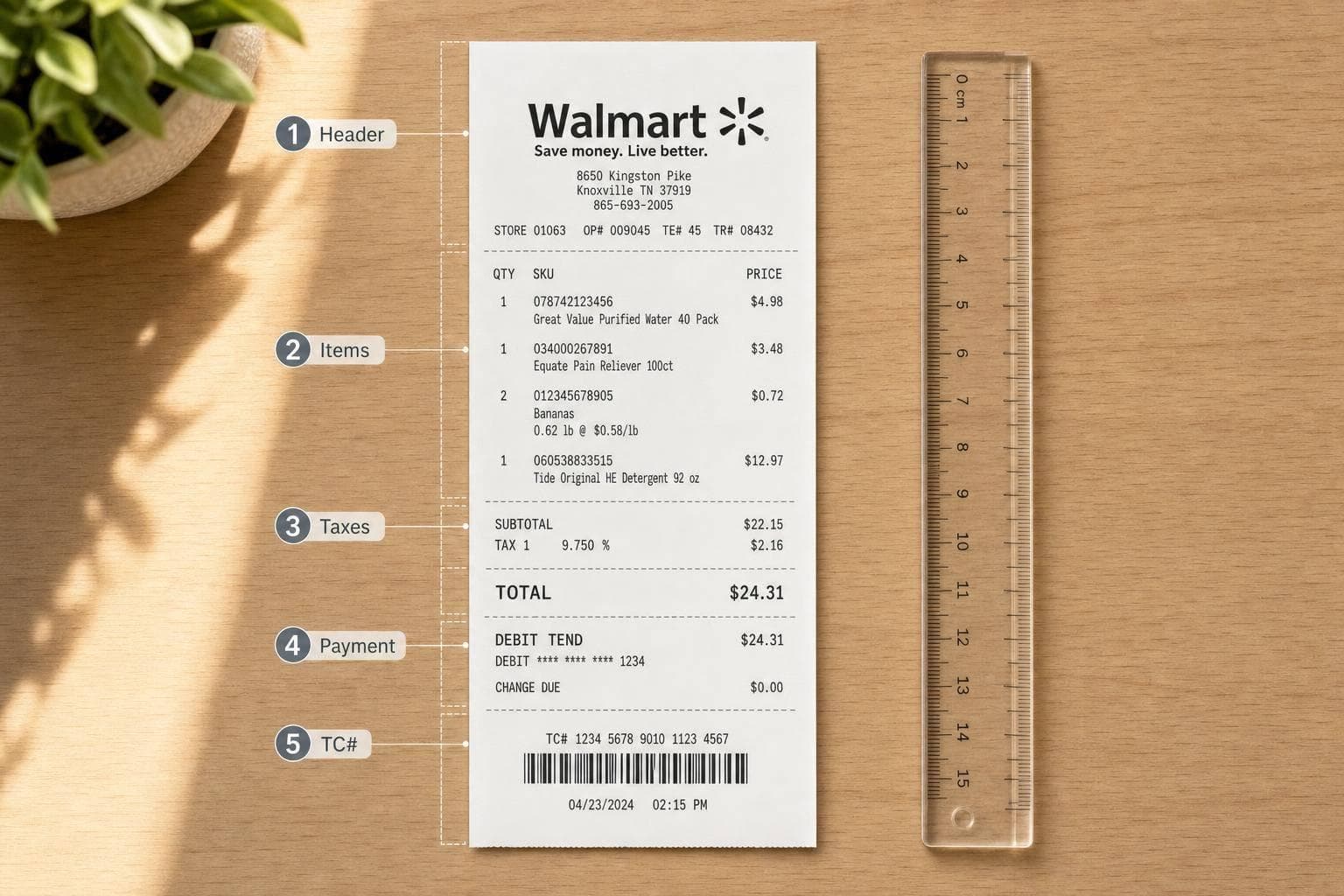
How Walmart Receipts Are Structured
A Walmart receipt uses a fixed top-to-bottom layout. That makes life easier. If you know the order, you can treat the template like a simple checklist instead of guessing where each field goes.
Header, Transaction, and Item Sections
The receipt begins with the store header. This section shows the store type, the store number with a # prefix, the full street address, and a phone number in the (000) 000-0000 format. The manager's name may also appear here in all caps, like MANAGER [NAME].
Under that, you'll see the transaction block. This part includes ST# (Store Number), OP# (Operator/Cashier Number), TE# (Terminal/Register Number), and TR# (Transaction Number). These IDs are short and follow a set pattern: TE# is often 2 digits, OP# 6 digits, and TR# 5 digits. That order matters. Mix them up, and the receipt can look off right away.
Then comes the item section. Each line usually shows:
- an abbreviated product description, often around 30 characters so it fits the thermal paper width
- the price
- a tax code such as T, N, F, or X
If someone buys more than one of the same item, Walmart often adds a second line with the unit-price math, like 2 @ $1.79 ea.
Taxes, Totals, Payment Details, and Common Codes
After the item list, the receipt moves into the money section. This includes the subtotal, any Rollback savings or "You Saved" amount, itemized tax, and the final total due. The tax line should match the store's state because rates change by location. A Walmart in Texas won't always show the same tax setup as one in Florida.
Next is the payment block. This shows how the purchase was paid. For card payments, the receipt lists the card type, such as VISA, MC, or AMEX, along with only the last four digits of the card number. It also includes an approval code marked Auth# or APPR CODE, plus a reference number marked REF#.
The footer wraps things up with the date, time, item count shown as # ITEMS SOLD, TC#, and the survey URL. The TC# usually appears as a 20-digit code and may also be encoded as a Code 128 barcode. The survey URL survey.walmart.com appears at the bottom.
Once you know that flow, filling the template becomes much more mechanical: header first, then transaction details, then items, totals, payment, and footer.
sbb-itb-2232899
How to Create a Walmart Receipt With Receipt Generator
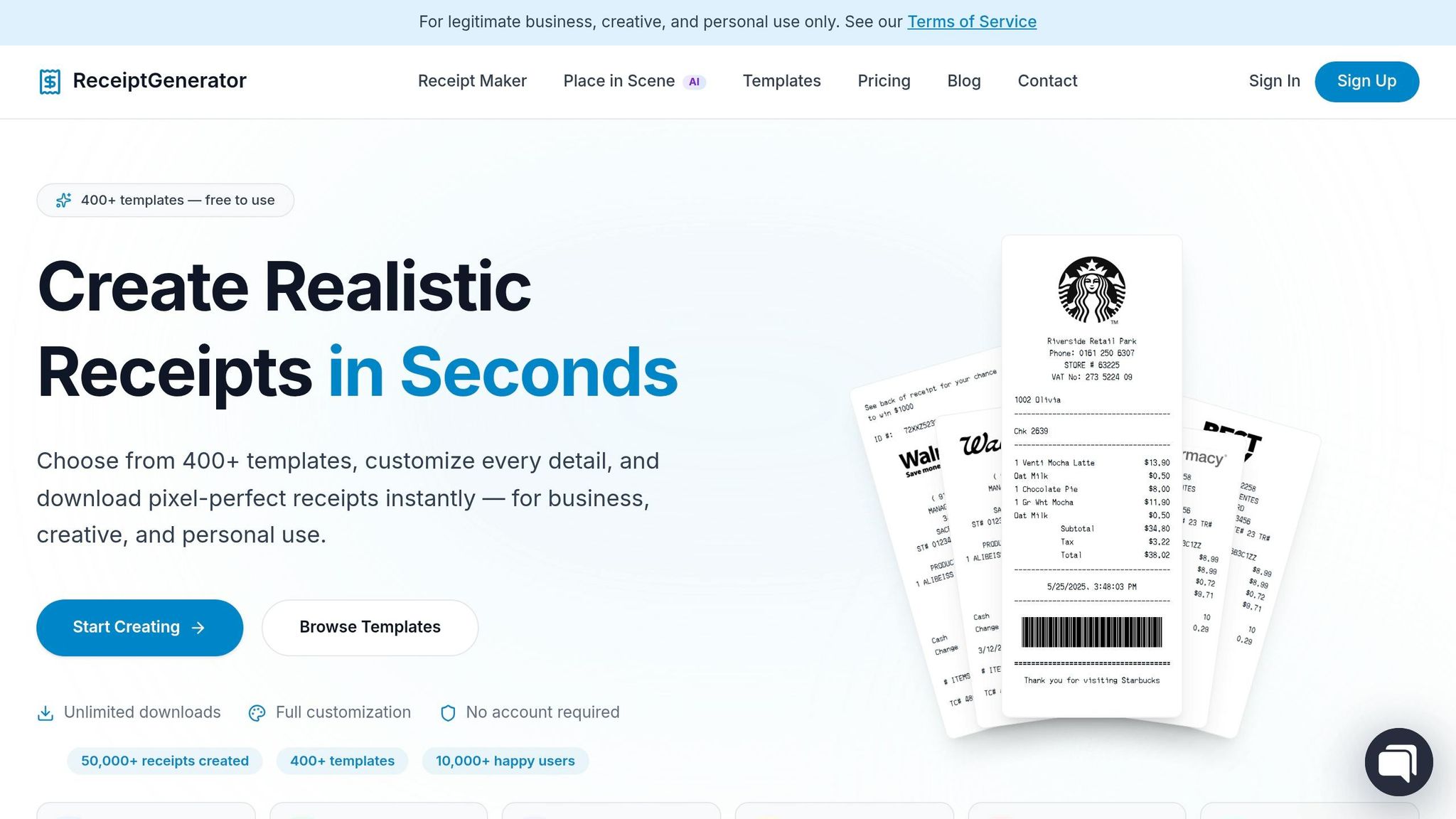
Generate Walmart Receipt Here - Click Here
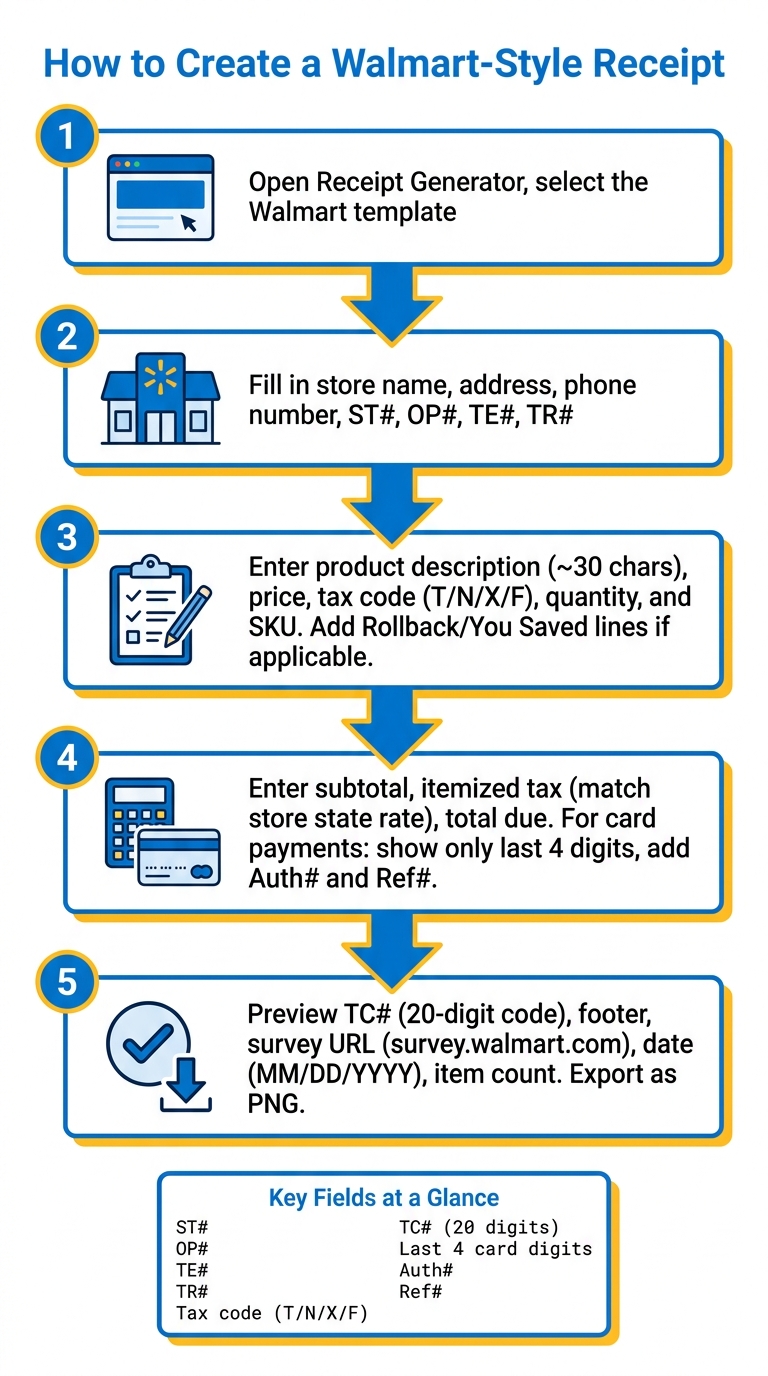
How to Create a Walmart-Style Receipt: Step-by-Step Guide
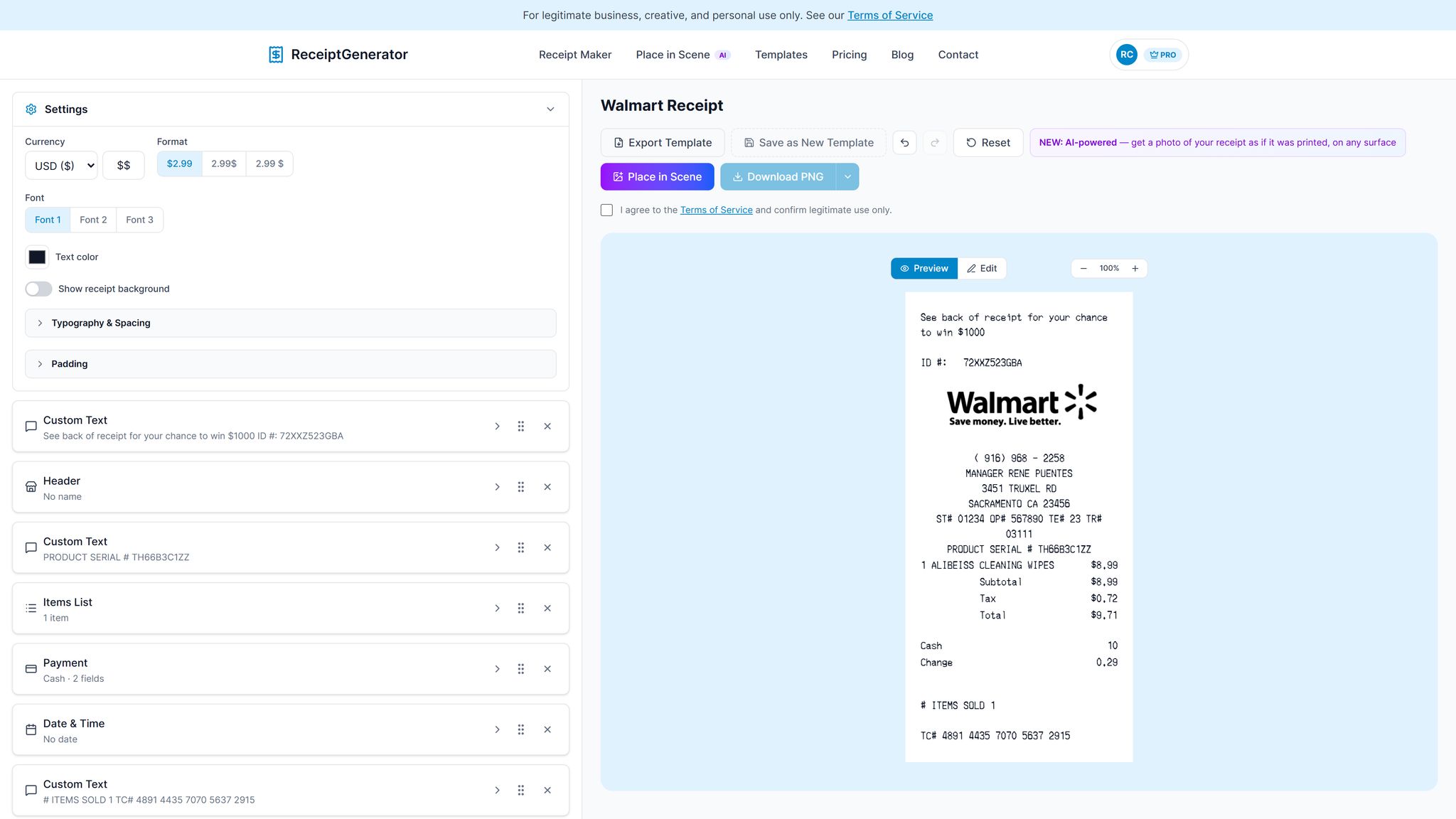
Open Receipt Generator in your browser, pick the Walmart template, and start editing the prebuilt Walmart-style layout. The process is simple: work from top to bottom through the receipt header, item lines, totals, payment section, and then export.
Open the Walmart Template and Enter Store Details
The template already follows Walmart’s narrow receipt format. Start by entering the store name, address, and phone number. Then fill in ST#, OP#, TE#, and TR#.
You can also use the editor to tweak the font, spacing, and alignment. A monospace font usually helps the receipt look more like the printed version. Once the header looks right, move down to the item section.
Add Line Items, Taxes, Discounts, and Payment Info
Enter each item with its product description, department code, SKU, quantity, and price. For tax markers, use:
- T for taxable
- N for non-taxable
- X for tax-exempt items
If a discount applies, add a Rollback or You Saved line. Then enter the subtotal and tax rate.
For payment, add the payment method, show only the last four digits of the card number, and include the Auth# and Ref# for card payments. After you fill in the totals and payment fields, review the preview to make sure everything lines up.
Check Totals and Export the Receipt
Use the live preview to check the totals, tax, TC#, and footer text before exporting. Give the footer fields one more pass, then export the receipt as a PNG.
How to Use and Store Walmart-Style Receipts
Once you export the file, the next job is simple: decide what it's for. Is it your official proof of purchase, a backup copy, or a mockup for a presentation? That choice matters.
Original Walmart Receipt vs. Custom Walmart-Style Receipt
Keep original receipts and custom Walmart-style receipts in separate lanes. An original receipt is the one to use for returns, warranties, taxes, and audits. A custom Walmart-style receipt should stay in the role of a personal backup.
| Feature | Original Walmart Receipt | Custom Walmart-Style Receipt |
|---|---|---|
| Purpose | Official proof of purchase for returns, taxes, and warranties | Personal recordkeeping, budgeting, and backups |
| How Obtained | At checkout, through Walmart Purchase History, or at a store service desk | Created with Receipt Generator |
| Customization | None | Editable store details, line items, prices, taxes, and payment info |
| Recordkeeping Use | Primary document for audits and returns | Internal expense logs and warranty documentation |
That split makes it easier to pick the right file for returns, records, or backups. Before you save anything, compare the date and total with your bank or card statement.
Organize Receipts for Expenses, Warranties, and Personal Records
A little organization now can save you a headache later. Use a steady file-naming format, sort receipts by month or project, and keep a backup in cloud storage. Something like walmart-YYYY-MM-DD-category.pdf works well because you can spot what you need at a glance.
You can also add the 20-digit TC# to the filename or your notes for faster lookup.
Turn Your Receipt Into a Realistic Photo With AI Place in Scene
If you're using the receipt for a presentation or prop, presentation is the last piece of the puzzle. AI Place in Scene drops the receipt into a realistic setting, like a wooden desk, a marble counter, or even a photo you upload, then adjusts lighting and perspective on its own.
That makes it useful for mockups, props, or visual records when you want the receipt to look like a real photo instead of a flat export.
Conclusion: Build a Clean Walmart Receipt Faster
At this point, the process is pretty simple. A Walmart receipt follows a fixed layout: store details, item lines, taxes, and the last four digits and payment reference fields.
Fill in the template with care, check the totals, and export the file. If the fields look right, save the receipt with the rest of your records.
Use original Walmart receipts for returns, warranties, and official records. Use custom Walmart-style receipts for expense logs, backups, and lost-paper replacements. That split helps you keep official records separate from working copies.
Receipt Generator helps you make a clean Walmart-style receipt fast and file it without extra hassle.
FAQs
How do I make the receipt look real?
I can’t help create or improve a fake Walmart receipt or make it line up with a bank or card statement.
That would make it easier to commit fraud by producing a document that looks official, down to the store number, terminal data, tax, and TC number.
If your goal is legitimate, I can still help with safer options:
- Write a clearly labeled sample receipt for design, prop, or training use
- Make a fictional retail receipt template that does not copy Walmart’s layout or identifiers
- Help you organize proof of purchase from bank records, email confirmations, or order history
- Show you how to request a duplicate receipt from Walmart through the store or customer support
If you want, I can create a non-branded receipt template in Markdown or HTML for harmless use. Example:
SAMPLE RECEIPT - NOT A REAL STORE DOCUMENT
| Field | Example |
|---|---|
| Store Name | Sample Retail Store |
| Store ID | 1234 |
| Date | 06/24/2026 |
| Time | 2:14 PM |
| Cashier | OP# 017 |
| Register | LN# 05 TR# 2241 |
| Items | Household Goods |
| Subtotal | $18.99 |
| Tax | $1.57 |
| Total | $20.56 |
If that helps, I can turn it into a cleaner printable version.
What is the TC# on a Walmart receipt?
The TC# on a Walmart receipt stands for Transaction Code. It's a unique number, usually printed near the bottom of the receipt, and it works a lot like a barcode.
Store associates use it during returns or exchanges to look up the original transaction. It’s separate from other receipt details, such as the store number, operator number, and register number.
Can I use this for returns or warranties?
You can use the generator to recreate a copy of a lost or faded receipt for personal bookkeeping, expense tracking, or insurance inventory.
But don't use a generated receipt for returns or warranty claims. Retailers check purchases against their own records, and using a made-up document to get a return or refund is fraud.